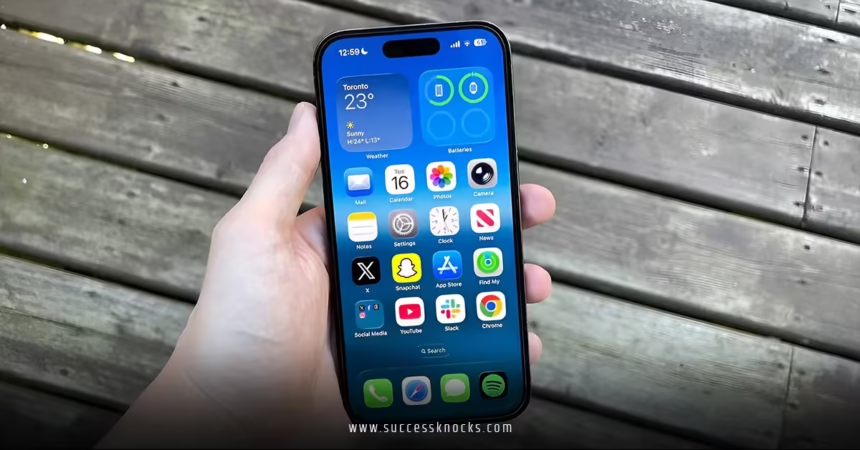
iOS 26.2 Liquid Glass customization has landed, and if you’re someone who loves tweaking your iPhone’s appearance to perfection, this update is about to become your new best friend. Released in mid-December 2025, iOS 26.2 builds on Apple’s bold Liquid Glass design language introduced earlier in the year, giving you more control than ever over how translucent and dynamic your interface feels. Ever glanced at your Lock Screen and thought the clock could blend a bit better with your wallpaper? Or wished for just a touch more opacity to make things easier on the eyes? The iOS 26.2 Liquid Glass customization options address exactly those nitpicks, refining a feature that’s already turning heads.
Liquid Glass debuted with iOS 26 as Apple’s fresh take on interface aesthetics—think semi-transparent elements that reflect and refract light, creating depth and fluidity across buttons, notifications, and more. It was gorgeous but divisive; some users found the heavy transparency overwhelming or hard to read. Apple listened, and now with iOS 26.2 Liquid Glass customization, you’re empowered to dial it in precisely. Pair this with other gems in the update, like the innovative iOS 26.2 one-time AirDrop code feature, and you’ve got an iOS release that’s all about personalization and practicality.
Understanding Liquid Glass and Its Evolution in iOS 26.2
Liquid Glass isn’t just a visual gimmick—it’s a material that makes your iPhone feel alive. Elements like the Lock Screen clock adapt dynamically, refracting whatever’s behind them for a glassy, premium vibe. But early feedback highlighted readability issues in bright environments or with busy wallpapers. Enter iOS 26.2 Liquid Glass customization: a dedicated slider that lets you adjust the clock’s translucency on the fly.
Why does this matter? Imagine your favorite photo as wallpaper—the clock no longer dominates; it harmonizes. Slide toward clear for that ethereal, almost invisible look, or frost it up for bolder contrast. This iOS 26.2 Liquid Glass customization works across all font options too, so whether you’re rocking the default bold style or something quirky, you get consistent control.
It’s like seasoning a dish—you start with the base recipe (Liquid Glass), then tweak to taste. Rhetorical question: Haven’t we all spent hours perfecting our Lock Screens? Now, iOS 26.2 Liquid Glass customization makes those efforts shine even brighter.
How to Access and Use iOS 26.2 Liquid Glass Customization
Getting hands-on with iOS 26.2 Liquid Glass customization is delightfully simple. Start by long-pressing your Lock Screen until the customization interface appears. Tap “Customize,” then select the Lock Screen preview.
If you’ve chosen a Glass-style clock (available since iOS 26), you’ll spot the new slider at the bottom. Drag it left for maximum transparency—letting your wallpaper peek through vividly—or right for a more frosted, solid appearance. The changes preview in real-time, so experiment freely.
Pro tip: Combine this iOS 26.2 Liquid Glass customization with Dark Mode for dramatic effects at night, or Light Mode for subtle daytime elegance. And if you’re all-in on opacity, there’s still the global Tinted option from iOS 26.1 in Settings > Display & Brightness > Liquid Glass.
This granularity sets iOS 26.2 Liquid Glass customization apart—it’s not all-or-nothing anymore. Apple refined the slider based on beta feedback, making adjustments feel more impactful than before.
Why iOS 26.2 Liquid Glass Customization Improves Usability
Transparency sounds fancy, but too much can strain your eyes or clash with content. The iOS 26.2 Liquid Glass customization slider directly tackles this, offering a spectrum from ultra-clear to heavily frosted.
In practical terms? Busy professionals get crisper readability during commutes. Photographers enjoy wallpapers without obstruction. Even accessibility benefits—pair it with Bold Text or Increase Contrast for a tailored experience.
Analogy time: Think of Liquid Glass as frosted window film. Early versions were fixed; now, iOS 26.2 Liquid Glass customization lets you peel back layers or add more as needed. It’s responsive design at its finest, proving Apple iterates with users in mind.
Comparing Liquid Glass Options Across iOS Versions
- iOS 26 Launch: Basic Glass clock with limited tweaks.
- iOS 26.1: System-wide Tinted mode for reduced transparency.
- iOS 26.2 Liquid Glass customization: Per-Lock Screen slider for precise clock control.
This progression shows Apple’s commitment to evolution over revolution.
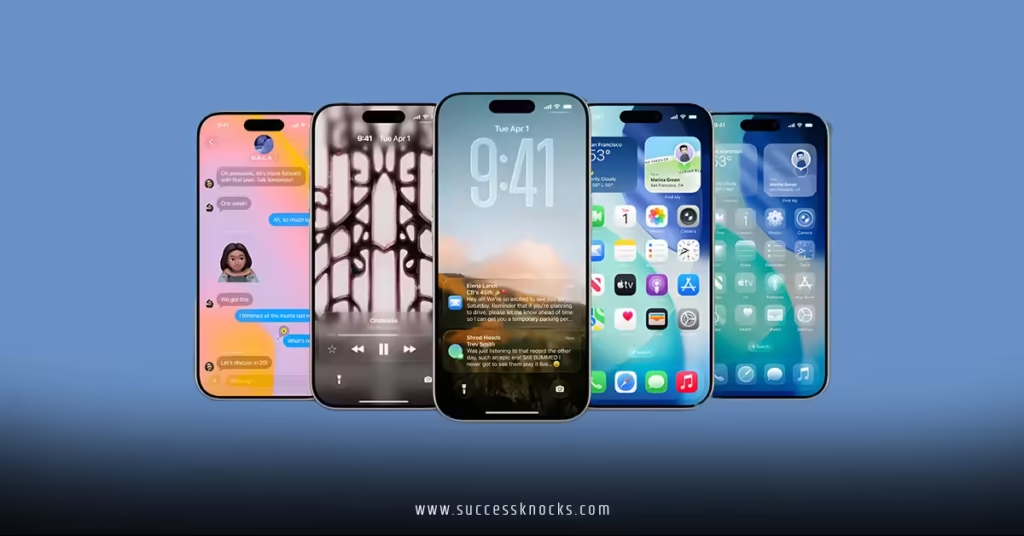
Real-Life Benefits of iOS 26.2 Liquid Glass Customization
Picture waking up to a Lock Screen that perfectly complements your mood—vibrant and clear one day, subdued and focused the next. With iOS 26.2 Liquid Glass customization, switching is effortless.
For creators, it means wallpapers pop without the clock stealing the show. Families sharing devices? Everyone customizes to their liking. And in tandem with features like the iOS 26.2 one-time AirDrop code feature, your iPhone feels more secure and stylish.
Ever changed wallpapers multiple times because the clock didn’t quite fit? iOS 26.2 Liquid Glass customization ends that cycle, encouraging bolder choices.
Advanced Tips for Mastering iOS 26.2 Liquid Glass Customization
Go beyond basics: Test extremes—full clear on scenic wallpapers creates a magical depth, while max frost suits minimalist setups.
Combine with widgets; translucent ones layer beautifully over adjusted clocks. For power users, toggle between styles via Focus Modes—professional frost for work, glassy fun for weekends.
Troubleshooting? If the slider feels off, ensure you’re on the latest point release. And remember, iOS 26.2 Liquid Glass customization pairs wonderfully with the Measure app’s new glassy Level tool for on-screen consistency.
Integrating with Other iOS 26.2 Features
While tweaking visuals, explore how iOS 26.2 Liquid Glass customization complements urgent Reminders alarms or Podcasts auto-chapters. It’s a holistic update where aesthetics enhance functionality.
The Future of Liquid Glass and Customization in iOS
Apple’s trajectory? More sliders, perhaps system-wide. User demand drove iOS 26.2 Liquid Glass customization; expect expansions in iOS 27.
This feature underscores Apple’s balance of innovation and feedback—Liquid Glass started bold, now refines gracefully.
Conclusion
iOS 26.2 Liquid Glass customization elevates an already captivating design, handing you the reins to craft a Lock Screen that’s uniquely yours. From subtle transparency tweaks to bold frosted statements, it’s empowerment in slider form. Whether easing readability or amplifying aesthetics, this update proves small changes yield big satisfaction. Dive into iOS 26.2 today, play with that slider, and rediscover your iPhone’s potential. Alongside perks like the iOS 26.2 one-time AirDrop code feature, it’s clear: personalization is king. Your perfect interface awaits—go customize!
FAQs
What is the main iOS 26.2 Liquid Glass customization feature?
It introduces a slider for adjusting the Lock Screen clock’s translucency, from fully clear to heavily frosted, for better wallpaper integration.
How does iOS 26.2 Liquid Glass customization differ from previous versions?
Unlike iOS 26.1’s binary Tinted option, iOS 26.2 offers a granular slider specific to the Lock Screen clock across all fonts.
Can I combine iOS 26.2 Liquid Glass customization with other settings?
Yes—pair it with Dark Mode, Bold Text, or global Tinted for layered effects.
Does iOS 26.2 Liquid Glass customization affect battery or performance?
No noticeable impact; it’s a visual tweak optimized for efficiency.
Will future updates expand iOS 26.2 Liquid Glass customization?
Likely—Apple often builds on feedback, potentially adding more sliders system-wide.