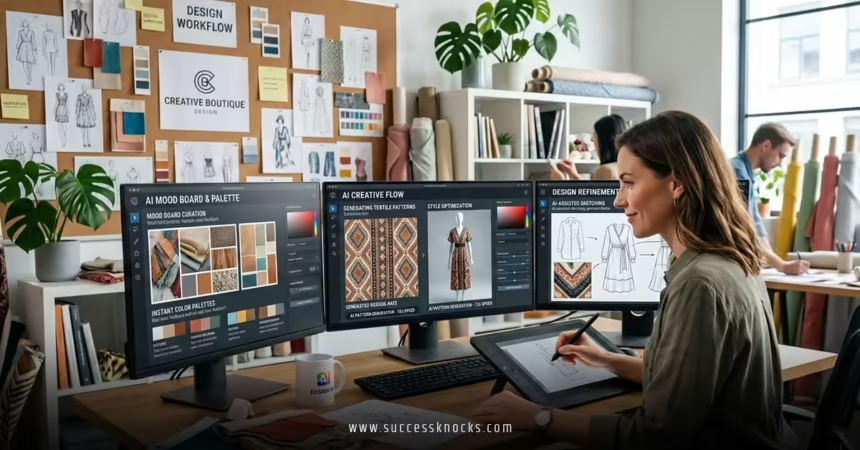
Best AI tools to speed up the creative design process have become essential for beginners and intermediate designers in 2026. These tools handle repetitive tasks, generate ideas quickly, and let you focus on refining and adding your unique touch.
In today’s fast-paced design world, especially in the USA where client deadlines and competition demand efficiency, best AI tools to speed up the creative design process cut hours off workflows. They assist with ideation, asset creation, prototyping, and iteration without replacing human creativity.
Here’s a quick overview of why they matter and top picks:
- Accelerate ideation — Turn text prompts into visuals or layouts in seconds instead of sketching for hours.
- Streamline editing and production — Features like generative fill, auto-layouts, and smart suggestions handle tedious work.
- Boost experimentation — Generate multiple variations rapidly to explore directions without burnout.
- Improve accessibility — Beginners create professional-looking work; intermediates scale output.
- Integrate into familiar tools — Many plug into software you already use, like Figma or Adobe apps.
Why AI Tools Matter for Creative Design in 2026
Creative design—whether graphic, UI/UX, illustration, or branding—involves stages like brainstorming, sketching, refining, and finalizing. AI shines by compressing time in early and middle stages.
For example, instead of staring at a blank canvas, you describe an idea and get concepts instantly. This frees mental energy for decision-making and polish. Industry consensus from design communities and tools like Figma emphasizes that AI augments, not automates, creativity—helping maintain control while speeding delivery.
Top AI Tools to Speed Up Your Workflow
Here are standout tools in 2026, selected for reliability, integration, and real impact on creative speed.
1. Adobe Firefly
Integrated into Photoshop, Illustrator, and other Creative Cloud apps, Firefly excels at generative fill, text-to-image, and vector generation. It’s commercially safe (trained on licensed content) and ideal for professional edits.
Use it to expand images, remove objects, or create textures from prompts. Beginners love the seamless workflow—no switching apps.
2. Canva Magic Studio
Canva’s suite includes Magic Design (layout from prompt), Magic Edit, and image generation. Perfect for social graphics, presentations, and quick branding.
Its drag-and-drop simplicity makes it beginner-friendly, while AI handles resizing and enhancements automatically.
3. Midjourney
Accessed via Discord, Midjourney delivers artistic, high-quality images from detailed prompts. Great for concept art, illustrations, and mood boards.
Intermediate users refine with parameters like style references or aspect ratios for faster iteration.
4. Figma AI (including Figma Make)
Figma’s native AI generates layouts, auto-suggests components, and creates prototypes from text. Figma Make pushes prompt-to-code or full UI generation.
Teams save time on wireframing and design system consistency.
5. Leonardo AI
Focused on consistent characters and styles, with strong control over outputs. Excellent for illustrations, game assets, or branded visuals.
Free tier offers generous generations; paid unlocks advanced features.
6. Uizard
Turns sketches, screenshots, or text into editable UI designs. Ideal for rapid prototyping in UI/UX.
Beginners scan hand-drawn ideas; intermediates export to Figma for refinement.
7. Runway ML
Specializes in video and motion from images/text. Useful for animated concepts or short clips in creative projects.
Speeds storytelling and presentation elements.
Comparison Table: Best AI Tools at a Glance
| Tool | Best For | Key Speed Feature | Pricing (2026) | Free Tier? | Learning Curve |
|---|---|---|---|---|---|
| Adobe Firefly | Professional editing & generation | Generative fill, integrated edits | Creative Cloud sub (~$20+/mo) | Limited | Medium |
| Canva Magic Studio | Quick graphics & marketing | Magic Design auto-layouts | Free; Pro $12.99/mo | Yes | Low |
| Midjourney | Artistic concepts & illustrations | High-quality prompt-to-image | Subscription ~$10+/mo | No | Medium |
| Figma AI | UI/UX prototyping | Auto-layout, prompt-to-UI | Included in Figma plans | Yes (limited) | Low-Medium |
| Leonardo AI | Consistent styles & characters | Advanced control & variations | Freemium; paid upgrades | Yes | Medium |
| Uizard | Sketch-to-design | Screenshot/sketch conversion | $12/mo Pro | Limited | Low |
| Runway ML | Motion & video concepts | Image-to-video generation | Subscription-based | Limited | Medium |
This table highlights how tools fit different needs—pick based on your focus (e.g., static vs. motion, UI vs. graphic).
Step-by-Step Action Plan to Start Using AI in Your Design Process
Follow this beginner-friendly plan to integrate AI without overwhelm:
- Define your bottleneck — Identify slow parts (e.g., ideation, asset creation).
- Choose 1-2 tools — Start with Canva (easy) or Figma AI (if UI-focused).
- Set up accounts — Sign up, explore free tiers, watch quick tutorials.
- Run a test project — Take a small brief; use AI for initial concepts (e.g., prompt Midjourney for mood board).
- Refine manually — Import results into your main tool; edit for your style.
- Iterate weekly — Track time saved; adjust prompts for better outputs.
- Combine tools — E.g., generate in Leonardo, edit in Adobe, prototype in Figma.
This builds habits gradually.
Common Mistakes When Using AI Tools (and Fixes)
- Over-relying on defaults — Fix: Always refine prompts with specifics (style, mood, composition).
- Ignoring ethics/commercial rights — Fix: Stick to tools like Firefly for safe assets; check terms.
- Poor prompt writing — Fix: Use descriptive language; reference artists/styles ethically.
- Skipping human review — Fix: Treat AI as a starting point; add personal flair.
- Trying too many tools — Fix: Master 2-3 before expanding.
Avoid these to maximize speed and quality.
Key Takeaways
- Best AI tools to speed up the creative design process blend seamlessly into workflows, saving hours on repetitive tasks.
- Tools like Adobe Firefly and Canva prioritize ease and safety; Midjourney and Leonardo excel in creative exploration.
- Start small: Pick one tool matching your main pain point.
- Prompts are key—practice descriptive ones for better results.
- AI augments creativity: Use it for speed, then apply your judgment.
- Stay updated: Features evolve rapidly in 2026.
- Combine tools for end-to-end efficiency (e.g., generate → edit → prototype).
- Focus on output quality over quantity—refine aggressively.
Conclusion
The best AI tools to speed up the creative design process empower you to move faster from idea to polished work. Whether you’re a beginner building confidence or an intermediate scaling projects, these tools reduce friction so you spend more time creating what matters.
Your next step? Pick one tool from the list, run a quick test project today, and see the time difference. You’ll wonder how you designed without them.
Looking for the bigger picture? Read our Ultimate Blueprint for Scaling a Boutique Digital Agency.
FAQ :
1. Which AI tool is easiest for complete beginners to start with?
Canva Magic Studio. Its drag-and-drop interface, one-click Magic Design, and free generous tier let you create polished graphics in minutes without learning complex software.
2. Do I need to pay for the best AI design tools right away?
No. Start with free tiers: Canva (very capable), Leonardo AI (good generations), Figma AI (included in free plan), and limited trials of Adobe Firefly. Upgrade only when you hit usage limits or need advanced features.
3. Can AI tools really replace my own creativity?
No—they accelerate it. The best AI tools to speed up the creative design process handle repetitive tasks and generate starting points, but the final style, emotion, and decisions still come from you.
4. How much faster can AI actually make my design workflow?
Realistically 2–5× faster on early stages. Concepting a mood board or initial layout that took 2–3 hours can drop to 15–30 minutes; editing and variations become almost instant with tools like Firefly or Midjourney.
5. Are the images I create with these AI tools safe to use commercially?
It depends on the tool. Adobe Firefly and Canva are trained on licensed content and considered commercially safe. Midjourney and Leonardo require checking their latest terms—many paid plans now offer commercial rights, but always verify before client work.