

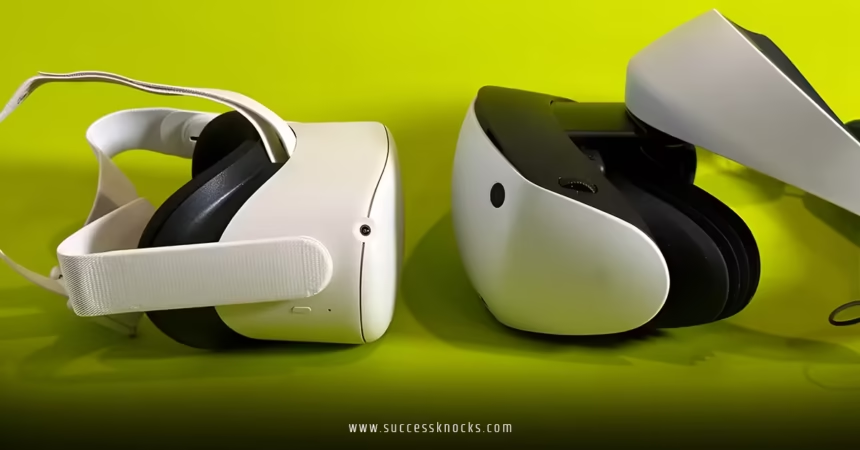
Comparing Oculus vs. PlayStation VR for new users boils down to one simple truth in 2026: your choice hinges on what gear you already own and how much hassle you want in your first VR steps. Meta’s Quest lineup (the spiritual successor to Oculus) delivers wireless freedom and a massive library right out of the box. Sony’s PlayStation VR2 (PSVR2) delivers sharper visuals and deeper immersion—but only if you have a PS5 and don’t mind the cable.
Here’s the quick overview:
- Accessibility: Quest wins for beginners—no extra console needed. Just charge, strap on, and play.
- Cost for new users: Quest 3S starts around $299; full Quest 3 near $499. PSVR2 runs $399 but requires a PS5 (hundreds more if you don’t own one).
- Experience: Quest offers mixed reality passthrough and wireless movement. PSVR2 shines with OLED screens, eye tracking, and haptic feedback that makes worlds feel alive.
- Game library: Quest has hundreds of standalone titles plus PC VR options. PSVR2 leverages PS5 power for high-fidelity games but has a smaller exclusive selection.
- Who it’s for: Grab Quest if you’re starting fresh. Go PSVR2 if you already live in the PlayStation ecosystem.
Short answer? Most new users should start with a Meta Quest. It’s simpler, cheaper to enter, and more forgiving for those first awkward swings in Beat Saber.
Setup: How Easy Is It Really?
You rip open the box. What happens next decides if VR hooks you or collects dust.
With Meta Quest (Quest 3 or the budget-friendly Quest 3S), setup takes minutes. Create or log into a Meta account, pair the controllers, and you’re in a virtual home environment. No wires. No external sensors. The built-in cameras handle tracking and even blend your real room into mixed reality games.
PSVR2? Different story. Plug the headset into your PS5, connect the single USB-C cable, calibrate eye tracking, and adjust the scope-like visor. It’s cleaner than the old PSVR1 with its camera mess, but you’re still tethered. Movement feels limited compared to walking freely across your living room with Quest.
Pro tip from the trenches: If your space is small or cluttered, Quest’s wireless setup wins immediately. Nothing kills the magic faster than tripping over a cable on your first try.
Price Breakdown for New Users in the USA
Budget matters when you’re testing the VR waters.
- Meta Quest 3S (128GB): Around $299 — the sweet spot for beginners.
- Meta Quest 3 (128GB): Near $499 — better lenses and sharper image.
- PlayStation VR2: $399 (often discounted) — but add PS5 cost if you don’t own one ($450–$500+).
Total entry for Quest: $299–$499.
Total entry for PSVR2 without PS5: easily $800–$900.
Prices fluctuate with sales, but the gap is real. Quest lets you jump in today without saving for a whole console.
Hardware Showdown: What You Actually Feel
Think of Quest as the agile all-rounder and PSVR2 as the high-end theater system.
Displays and visuals
Quest uses LCD panels with pancake lenses (on Quest 3) for clear, wide views. Colors pop, but blacks aren’t perfect. PSVR2’s OLED screens deliver inky blacks, higher contrast, and that “wow” factor in dark scenes. Eye tracking on PSVR2 foveates rendering—sharper where you look, efficient elsewhere.
Comfort and weight
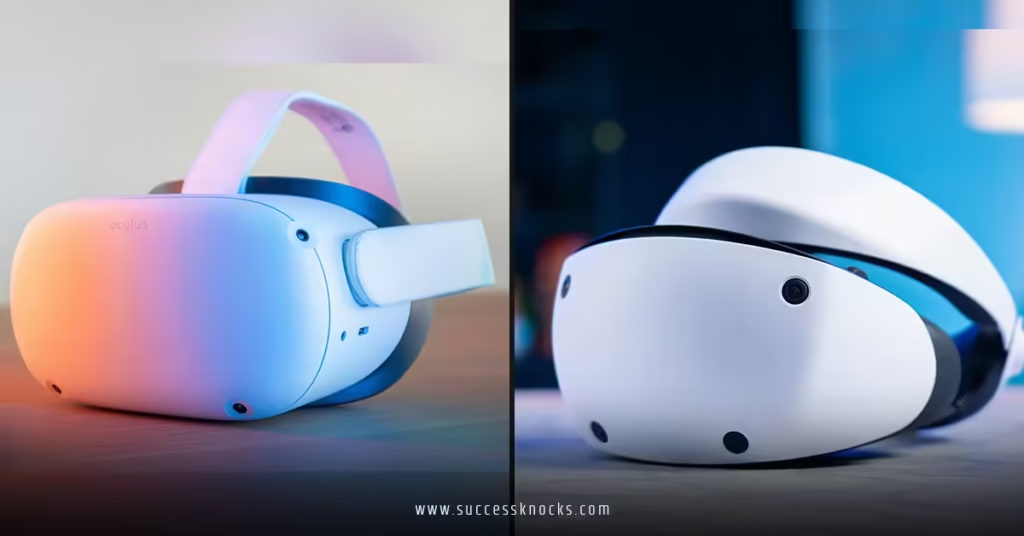
Quest 3S/3 sits lighter overall (~515g). PSVR2 (~560g) has a unique halo-style band that many find balanced for longer sessions. Both work with glasses via spacers.
Tracking and controllers
Inside-out tracking on Quest is rock-solid for most rooms. PSVR2 uses camera-based tracking with excellent precision plus headset haptics and adaptive triggers that rumble in sync with your actions.
Battery and freedom
Quest: 2–3 hours wireless before recharging (or play plugged in). PSVR2: Unlimited via PS5 cable, but you’re anchored.
The kicker? Quest feels liberating. Swing your arms in a full 360 without yanking a cord. PSVR2 feels premium—like stepping into a high-budget cinema.
Here’s a clear comparison table:
| Feature | Meta Quest 3 / 3S | PlayStation VR2 |
|---|---|---|
| Type | Standalone (wireless) | Tethered to PS5 |
| Display | LCD (pancake on Quest 3) | OLED with eye tracking |
| Resolution (per eye) | ~2064×2208 (Quest 3) / lower on 3S | 2000×2040 |
| Field of View | ~110° horizontal | ~110° |
| Weight | ~515g | ~560g |
| Battery | 2–3 hours wireless | Unlimited (wired) |
| Controllers | Touch Plus (haptics) | Sense (adaptive triggers + haptics) |
| Mixed Reality | Excellent color passthrough | None |
| PC VR Support | Yes (via streaming) | Yes (with official adapter) |
| Entry Cost (new user) | $299+ | $399 + PS5 |
(Data drawn from standard specs as of early 2026; real-world feel varies by game.)
Game Library and Content: Where the Fun Lives
New users want instant fun, not hunting for titles.
Quest store boasts a huge catalog—Beat Saber, Superhot VR, population: ONE, and exclusives like Batman: Arkham Shadow. Backward compatibility with older Quest games is seamless. You can also stream PC VR titles wirelessly if you have a decent gaming PC.
PSVR2 taps PS5 power for visually stunning games like Horizon Call of the Mountain or Gran Turismo VR experiences. Haptics make every gunshot or sword clash visceral. But the library is smaller, with fewer casual or social experiences. No full backward compatibility with original PSVR games without workarounds.
In my experience after years testing both ecosystems, Quest keeps beginners engaged longer because of variety and ease. PSVR2 delivers those “holy crap” moments in big AAA-style titles—if the games exist for it.
Mixed Reality vs. Pure Immersion
Quest 3/3S cameras let you see your real room in color while virtual objects interact with it. Place a virtual piano on your coffee table or dodge zombies around your couch. It’s playful and less isolating.
PSVR2 keeps you fully in the virtual world. Deeper presence, especially with those OLED blacks. No real-world distractions—great for focused gaming sessions.
Which matters more? For new users dipping toes, mixed reality on Quest lowers the barrier. It feels less “weird” when family watches you flail around.
Comfort, Motion Sickness, and Real-World Use
First VR sessions can trigger nausea. Both headsets have tools to help—comfort modes, vignette options, smooth turning.
Quest’s wireless freedom reduces some disorientation from cable tug. PSVR2’s precise tracking and haptics can heighten immersion (and sometimes sickness) until you adapt.
Rule of thumb: Start with short 15–20 minute sessions. Sit first, then stand. Both work fine for most people after a few tries.
Who Should Buy What in 2026?
- Choose Meta Quest (Oculus successor) if: You’re new to VR, don’t own a PS5, want wireless play, mixed reality, or the biggest app store. Ideal for casual gamers, fitness (supernatural workouts), or family sharing.
- Choose PlayStation VR2 if: You already own a PS5, crave premium visuals and haptics, and prefer console-style big games. The PC adapter adds flexibility, but it’s not as seamless as Quest’s ecosystem.
What I’d do if starting fresh today? Grab the Quest 3S. It’s the lowest-risk entry. Play for a few months. If VR clicks hard and you buy a PS5 later, add PSVR2 for the high-end experiences. No regret path.
Common Mistakes New Users Make (and How to Fix Them)
- Buying without checking ecosystem — Don’t get PSVR2 without confirming your PS5 works with it. Fix: Research your current setup first.
- Ignoring space requirements — VR needs room to move. Fix: Clear 6×6 feet minimum; use Quest’s guardian system.
- Skipping comfort tweaks — Default straps can hurt. Fix: Adjust IPD, try aftermarket head straps, or elite straps for longer play.
- Jumping into intense games too soon — Motion sickness hits hard. Fix: Ease in with seated or low-motion titles.
- Forgetting hygiene — Sweat builds up. Fix: Clean lenses and padding regularly; use lens covers.
Step-by-Step Action Plan for Beginners
Ready to pull the trigger? Follow this:
- Assess your setup — Do you own a PS5? Measure your play space.
- Set a budget — Under $400? Start with Quest 3S. Higher? Compare Quest 3 vs PSVR2 bundles.
- Research current deals — Check Meta Store or PlayStation direct for discounts.
- Buy and unbox — Follow on-screen tutorials carefully.
- Install must-play starters — Beat Saber for rhythm, a free social app, and one mixed-reality title (Quest) or a story-driven experience (PSVR2).
- Play short sessions daily — Build tolerance and fun.
- Expand — Add accessories like a better strap or elite battery pack after week one.
This plan gets you playing comfortably within an hour of opening the box.
Key Takeaways
- Quest dominates for pure new-user simplicity and value.
- PSVR2 excels in visual fidelity and PS5 integration but adds cost and cables.
- Wireless freedom often outweighs raw power for beginners.
- Mixed reality on Quest makes VR feel approachable and fun.
- Your existing hardware is the biggest decider—Quest for standalone, PSVR2 for console owners.
- Start small, experiment, and upgrade based on what excites you most.
- Both headsets deliver memorable experiences; the “best” is the one you actually use.
Comparing Oculus vs. PlayStation VR for new users ultimately shows no universal winner—just the right tool for your situation.
Take the plunge. VR has never been more accessible. Grab the headset that matches your current life, fire up a game, and prepare for that first jaw-dropping moment when the real world fades. You won’t want to come back.
FAQs
Is comparing Oculus vs. PlayStation VR for new users still relevant in 2026?
Yes. Meta Quest continues the Oculus legacy as the go-to standalone option, while PSVR2 remains the premium tethered choice for PS5 owners. The core differences in freedom versus fidelity haven’t changed.
Which is cheaper for someone with no gaming console?
Meta Quest. You avoid the PS5 expense entirely and start playing for a few hundred dollars.
Does PSVR2 work wirelessly?
No. It requires a cable to the PS5, though a PC adapter exists for additional use. Quest gives true wireless freedom.
Can I play the same games on both?
Many titles overlap, but each has exclusives. Quest has broader casual and social options; PSVR2 focuses on high-production console experiences.
How long until I stop feeling motion sick in VR?
Most new users adapt in 3–7 sessions with short play times and comfort settings. Take breaks and build up gradually.


