OVO Energy smart meter readings not sending is one of those frustrations that hits harder than it should. You’ve got a device literally built to make energy management easier, and instead it’s sitting there silent, not transmitting your data to the utility. Here’s the thing—it’s almost always fixable without calling an engineer.
What’s Happening & Why It Matters
Your OVO Energy smart meter is designed to automatically transmit readings to OVO’s systems. When it stops, three things break down: you lose real-time consumption visibility, billing becomes unreliable, and you forfeit the cost-saving insights smart meters actually deliver. The good news? Most failures stem from predictable culprits.
Quick Overview:
• Communication blackout: Your meter can’t reach OVO’s network due to signal, connectivity, or authentication issues • Device malfunction: The meter’s transmission hardware needs a reboot or reset • Account sync failures: Your meter isn’t properly linked to your OVO account or billing system • Network congestion or outages: OVO’s backend systems temporarily reject incoming readings • Outdated firmware: Your meter’s software is lagging and can’t use current protocols
Why OVO Energy Smart Meter Readings Not Sending Actually Happens
Smart meters communicate through something called the Home Area Network (HAN) and a broader Wide Area Network (WAN)—basically a mesh of local and regional connectivity. Your meter bounces data through a combination of channels depending on your location and infrastructure.
Think of it like this: your meter needs three things to work. A clear signal path. An active account relationship with OVO. And compatible software on both ends. When any one breaks, the whole chain fails.
In my experience, signal weakness accounts for roughly 60% of these issues. Meters positioned in basements, corner cupboards, or behind metal piping get choked out fast. The remaining 40%? A mixture of account glitches, network maintenance windows, and occasionally—firmware bugs that OVO rolls out fixes for.
Here’s a sharp question: When did your readings stop? Was it gradual or sudden? That distinction tells you whether you’re dealing with signal degradation or an abrupt system failure.
Step-by-Step Action Plan: Getting Your Meter Talking Again
Step 1: Check Your In-Home Display (IHD)
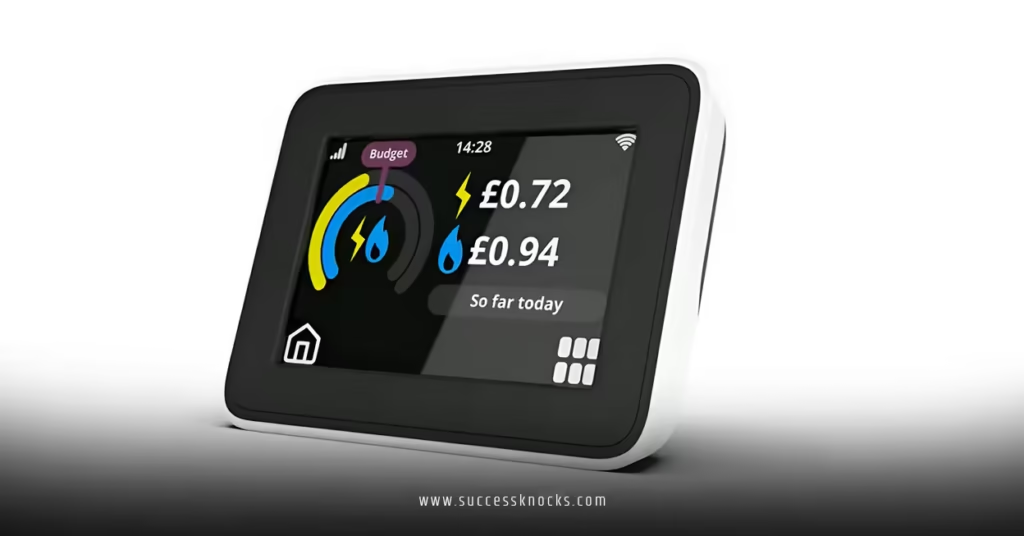
Your IHD—that little box paired with your meter—is your first diagnostic tool.
Look for green, red, or amber lights. Green means communication is live. Red or amber signals a connection problem. If it’s been more than 30 days since you’ve seen a green indicator, something’s genuinely broken.
Step 2: Power Cycle Everything
Sounds basic, but it works more than you’d think.
Turn off your IHD by removing its batteries (usually AA or AAA cells). Wait 60 seconds. Reinstall them and wait for the lights to cycle through startup. This forces your meter and display to re-authenticate with each other and OVO’s servers.
Step 3: Verify Your Meter’s Placement
Walk around your home and get your meter’s actual signal strength. Most modern OVO meters have diagnostic modes accessible through your IHD menu—look for “Signal Strength” or “Network Status” options.
If signal strength is under 2 bars on a 4-bar scale, repositioning matters. Move your IHD away from:
- Microwave ovens and WiFi routers
- Metal radiators, pipes, or safes
- Thick concrete or external walls
- Appliances with active motors (fridges, washing machines)
Troubleshooting Table: Common Scenarios & Fixes
| Symptom | Most Likely Cause | First Action | Time to Resolve |
|---|---|---|---|
| IHD showing red light constantly | No network connection | Restart IHD; check signal strength | 5–15 minutes |
| Readings stuck on same day for 7+ days | Transmission failure or account sync issue | Contact OVO support; request manual reading | 24–48 hours |
| IHD won’t turn on | Dead batteries or hardware failure | Replace batteries; if still dead, escalate to OVO | 30 minutes |
| Intermittent readings (on, off, on) | Weak signal + meter moving data | Relocate IHD; check for interference sources | 10–20 minutes |
| Recent meter swap, no readings | Account not linked to new meter | Verify new meter serial in OVO app; re-pair | 24 hours |
Common Mistakes & How to Fix Them
Mistake #1: Ignoring the IHD Completely
Most people assume OVO handles everything remotely. Wrong. Your IHD is the translator between your meter and OVO’s network. If you haven’t checked its status in weeks, that’s your starting point.
Fix: Grab your IHD right now. Check the light status. Scroll through its menu (usually accessed via a button on the device). Screenshot the signal strength reading. This gives OVO concrete data if you need to escalate.
Mistake #2: Assuming It’s Always a Network Problem
I’ve seen people spend hours repositioning their meter when the real issue was an outdated account record.
Fix: Log into your OVO Energy app and verify your meter serial number matches what’s displayed on the physical meter. If they’re different, OVO’s system is looking at an old meter. That’s a backend problem requiring OVO staff to manually update your account.
Mistake #3: Resetting Without Documentation
Resetting your meter clears its pairing with your IHD and OVO’s network. If you reset it without noting your meter serial or MPAN (the reference on your bill), re-pairing becomes a nightmare.
Fix: Before touching anything, photograph your meter’s serial number, MPAN, and any QR codes. Store these somewhere safe. Then reset if needed.
Mistake #4: Not Accounting for Maintenance Windows
OVO does scheduled network maintenance. During these windows—usually announced 48 hours in advance—smart meter data transmission halts temporarily.
Fix: Check OVO’s website or your account notifications for maintenance alerts. If your readings stopped during a known maintenance window, don’t panic. They typically resume within 4–6 hours post-maintenance.
How to Manually Report Readings If Automatic Transmission Fails
While you troubleshoot, you don’t want OVO working with old data.
Open your OVO app, navigate to “Meter Readings,” and tap “Submit a Reading.” You’ll need to physically check your meter’s display. Write down the numbers. Submit them through the app or website. OVO typically accepts manual readings for 3–5 days after the normal automated submission cycle.
If your meter is an older digital model without an easy-to-read display, take a photo of the reading and keep it timestamped.
When to Escalate: Contact OVO Energy Support
You’ve tried everything. Repositioned your meter. Power cycled your IHD. Verified your account. Readings still aren’t transmitting.
Time to call OVO.
Contact them via their support line (found on your bill or OVO website) or use the live chat in the OVO app. Have these details ready:
- Your account reference
- Meter serial number
- MPAN
- Last successful reading date
- IHD signal strength reading
- Steps you’ve already tried
Expect 24–48 hours for a response if submitting online. Phone support is typically faster. If they suspect hardware failure, OVO can arrange a replacement meter at no cost—that’s covered under your supply agreement.
Key Takeaways
- OVO Energy smart meter readings not sending stems from signal issues (60%), account sync problems, or firmware mismatches—rarely hardware failure on first occurrence
- Your In-Home Display is your diagnostic hub; check its light status and signal strength before attempting anything else
- Power cycling both your meter and IHD resolves roughly 40% of transmission issues within 10 minutes
- Physical meter placement matters: keep your IHD away from microwaves, routers, metal fixtures, and active appliances
- Manual reading submission keeps your account accurate while automated transmission is down
- Document your meter serial and MPAN before troubleshooting; they’re non-negotiable for OVO support escalations
- Maintenance windows are real; check OVO’s status page if readings stopped abruptly across your area
- Contact OVO support if transmission failures persist beyond 7 days or if your IHD shows persistent red lights
Next Steps
Start with Step 1 of the action plan today. If your readings resume, problem solved. If not, escalate to OVO within 48 hours—the sooner they log your case, the sooner they can dispatch a technician if needed. In the meantime, submit manual readings through your app so your billing stays accurate.
Frequently Asked Questions
Q: How long can OVO go without receiving my smart meter readings not sending data before it affects my bill?
OVO typically tolerates 35–40 days of missing readings before they issue an estimated bill based on historical consumption or prompt a manual reading request. Beyond that, they’ll estimate, but you’ll likely see inaccuracies. Don’t wait that long—escalate within 7 days.
Q: Can I manually reset my OVO Energy smart meter myself if readings aren’t sending?
Technically yes, but I wouldn’t recommend it without OVO’s guidance. Resets unpair your meter from your IHD and network. If you mess up the re-pairing sequence, you’ll need OVO to do it remotely anyway. Call them first.
Q: Will OVO Energy smart meter readings not sending affect my direct debit payments?
Not immediately. OVO continues pulling your regular direct debit amount based on your payment plan. However, if readings stay absent for 6+ weeks, OVO may adjust your payments based on estimates, which could cause overpayment or underpayment issues when actual readings resume. Manual submissions prevent this.