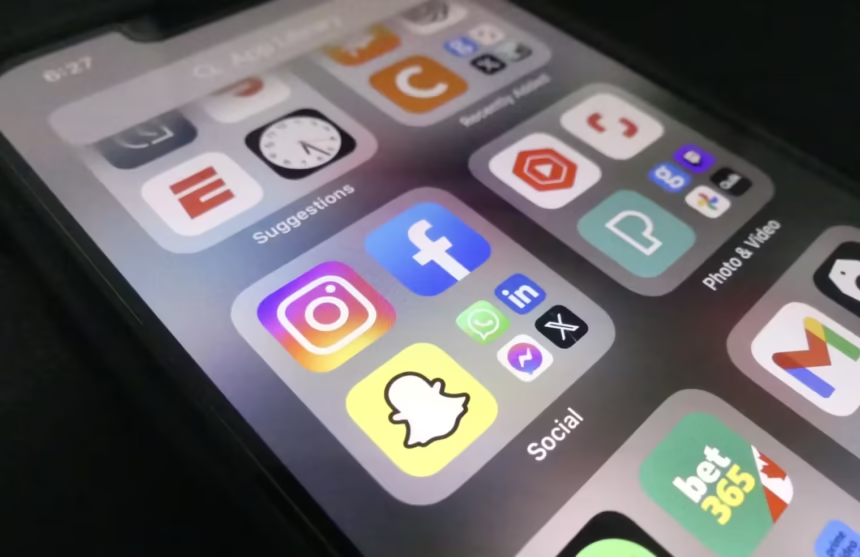
In the ever-evolving world of digital design, icons are the silent workhorses of user interfaces. Their aesthetics and adaptability influence how users experience apps and websites every day. As we navigate through 2026, new and innovative techniques are changing how designers create, refine, and implement icons. Modern tools, such as an icon maker, can help streamline the process, ensuring icons remain visually appealing and highly functional.
Whether you are overhauling an existing product or building a digital brand from scratch, understanding these trends is crucial. Iconography now moves beyond simple visuals, encompassing context-awareness, accessibility, and nostalgia-inspired flair. As design expectations rise, mastering the latest strategies will set your projects apart.
This guide synthesizes the leading trends shaping icon design today. Here, designers can find actionable tips and insights to ensure their work remains both relevant and effective in 2026 and beyond.
Dynamic Icons: Responsive and Context-Aware
Static, one-size-fits-all icons are no longer enough for today’s digital applications. The current trend focuses on dynamic icons that change in real time in response to user interaction or environmental variables. For example, an icon might adapt its color or style when switching between day and night modes, reflecting the user’s preferences or accessibility needs. Responsive icons make the user interface feel more alive and personalized, leading to higher engagement and a smoother experience.
Dynamic icons are not limited to simple interactions. Advanced designs can incorporate animation to signal status changes, notifications, or even progress. Animating icons, such as a loading spinner, that subtly transition in hue as the process completes not only enhances the perception of activity but also delivers feedback that feels natural and intuitive. Designers can use variable fonts and SVG animation techniques to further enhance the expressiveness of dynamic icons, delivering more nuanced interactions. As app ecosystems become more complex, these responsive elements serve as both functional cues and branding touchpoints.
Soft 3D Aesthetics: Adding Depth with Subtlety
The dominance of flat design is giving way to more nuanced visual depth through soft 3D styles. Designers are now introducing gentle gradients, clay-like materials, and ambient shadows to offer a tactile, almost touchable quality. These subtle details guide a user’s attention, enhance readability, and add a layer of warmth that keeps interfaces approachable. Using these principles strategically enhances visual hierarchy without cluttering the digital landscape.
Soft 3D icons seamlessly blend into varying UI backgrounds thanks to their restrained realism. This approach can help bridge the gap between playful designs and corporate aesthetics, adapting easily to a wide range of industries and audiences. Moreover, experimenting with semi-translucent layers and stacking effects allows designers to play with both depth and transparency, resulting in icons that echo contemporary interface trends while remaining timeless. To further boost user engagement, designers can pair soft 3D icons with subtle micro-interactions—such as bouncy scale adjustments on hover or tap, creating a delightful sense of physicality.
Glowy Icons: Vibrant and High-Impact Visuals
Glowy icon packs are making waves as designers look to break the monotony of minimalistic design. These icons combine vivid color palettes with glowing outlines and inner shadows, creating a sense of energy and motion. Interfaces with glowy icons feel instantly more inviting and dynamic. This look is ideal for consumer-facing apps or any platform wanting to grab user attention quickly. For further inspiration about integrating vibrant designs, large sites like Smashing Magazine frequently showcase current best practices in UI design.
The appeal of glowy icons also comes from their versatility. They are especially impactful in dark mode interfaces, where neon hues and luminous borders stand out without overpowering the surrounding content. Designers can leverage CSS and SVG filter effects to create real-time glow transitions triggered by user actions, such as highlighting active tasks or drawing attention to new notifications. This aesthetic, reminiscent of gaming and futuristic interfaces, has broad application potential across fintech dashboards, entertainment platforms, and next-gen web experiences. To ensure consistency, it’s important to balance glow intensity and maintain harmony between icon packs and overall design language.
Disco Icons: A Nostalgic Twist to Modern Design
The resurgence of retro styles continues in iconography, with disco-inspired icon packs leading the way. These icons evoke the aesthetic of disco balls, using metallic highlights and multi-faceted details to create an eye-catching effect. For example, Google’s Pixel phones have popularized a “Disco” custom icon pack that gives everyday apps a mirrored, glittery twist. This approach not only offers a nostalgic connection but also allows brands to stand out and signal playfulness in a crowded digital space.
Disco icons inspire creativity by bringing a dose of fun and individuality to digital environments. Freelancers and startups can leverage these retro vibes to cultivate a friendly, innovative brand identity that appeals to users eager for something fresh yet familiar. The combination of retro color palettes, playful animation, and shiny overlays can turn navigation into a joyous journey. Even established brands rely on touchpoints of nostalgia to spark emotional responses, making disco-inspired iconography a surprisingly strategic tool for deepening user engagement and loyalty.
AI Integration: Streamlining Icon Design
The impact of artificial intelligence on icon design is profound. Advanced AI design tools now generate multiple icon variations, recommend color schemes, and automate repetitive editing tasks. This enables designers to focus on creativity, applying their signature style to AI-generated templates and ensuring rapid prototyping. AI-driven design reduces errors and helps teams iterate faster, maintaining a consistent visual language throughout complex projects.
AI is also unlocking new levels of customization for brands and developers. By analyzing real user data and feedback, AI tools can suggest icon adjustments or improvements that are statistically proven to increase usability. This means icons can evolve alongside user habits, keeping interfaces aligned with shifting expectations. As AI continues to mature, expect intelligent asset management solutions capable of flagging outdated icons, suggesting replacements, and even optimizing icon file sizes for various platforms, all crucial aspects in an era of rapid digital expansion.
Accessibility: Designing for Inclusivity
Truly modern icon design prioritizes inclusivity. Designers are integrating accessibility by increasing icon contrast, simplifying forms, and improving legibility for diverse audiences. This attention to accessibility makes digital products usable by everyone, including individuals with visual impairments or different cultural backgrounds. Governments and organizations worldwide are adopting stricter digital accessibility guidelines, making this a foundational aspect of every advanced design project.
One key advancement in accessible iconography is adaptive design, in which icon sets provide alternative labels, color variations, or even audio cues for users who rely on screen readers or adaptive technologies. Regular auditing against standards such as WCAG (Web Content Accessibility Guidelines) ensures ongoing compliance and maximizes reach, especially for global brands catering to diverse populations. Inclusive icon design isn’t just a trend; it’s an ethical imperative, and early adoption can cement a reputation for thoughtful, user-first innovation across industries.
Best Practices for Implementing Modern Icon Designs
- Consistency: Use a unified visual style and tone across all icon sets to make the interface coherent and navigation intuitive.
- Scalability: Ensure icons remain sharp and recognizable across all screen sizes and devices.
- Contextual Adaptation: Design icons that automatically adapt to different themes and UI modes, like light and dark themes, or high-contrast accessibility profiles.
- User Testing: Gather feedback from real users to verify that icons are understood and serve their intended purpose effectively.
- Continuous Learning: Stay up to date with current trends, new design tools, and evolving accessibility standards to keep iconography fresh and compliant.
Incorporating these best practices and innovative trends empowers designers to produce interfaces that are not only visually stunning but also highly functional and inclusive. Keeping a pulse on new developments ensures the digital products you work on remain relevant and valuable for users in 2026 and beyond.