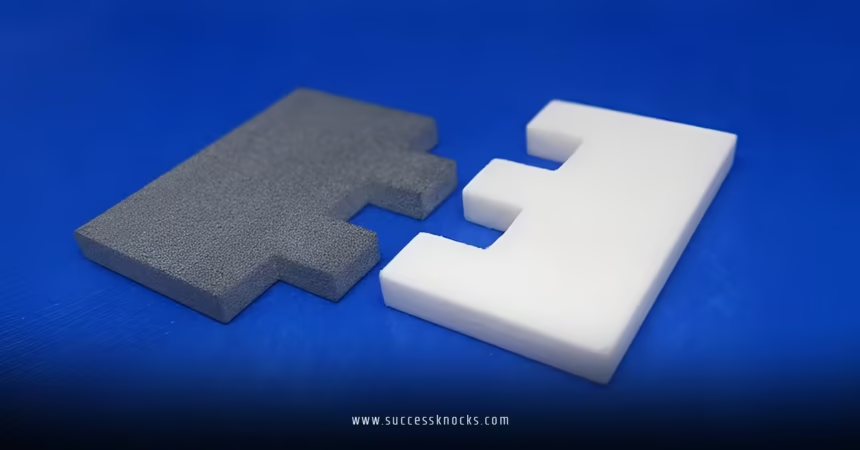
Best 3D printer for printing interlocking parts boils down to precision, consistent tolerances, and reliable layer bonding. These features let your snaps, hinges, dovetails, and puzzle-like assemblies click together without slop or cracking on the first try.
For beginners and intermediates in the USA chasing functional prints that actually work together, speed matters less than repeatability. You want a machine that nails dimensions close enough for 0.2–0.4 mm clearances without endless tweaks.
Here’s the quick rundown:
- Precision-focused FDM printers dominate for most users because they’re affordable, use strong filaments like PETG or nylon, and deliver solid results out of the box.
- Tight tolerances separate winners from frustration machines—expect ±0.1–0.2 mm accuracy on good setups.
- Why it matters: Interlocking parts test everything—bed leveling, extrusion consistency, cooling, and material shrinkage. Nail this, and your prints move from shelf decor to real tools, mechanisms, and prototypes.
What Makes a Great 3D Printer for Interlocking Parts?
Interlocking demands more than pretty surfaces. You need dimensional stability so a peg fits a hole every time. FDM printers rule everyday use, but resin (SLA) or powder (SLS) shine for ultra-fine fits.
In my experience, the real test hits during print-in-place mechanisms or multi-part assemblies. What usually happens is filament shrinkage or slight warping ruins the fit. Good machines minimize that with enclosures, advanced cooling, and auto-calibration.
Key factors to weigh:
- Tolerance and accuracy: Look for CoreXY designs with linear rails or robust kinematics.
- Enclosure: Keeps temps stable for materials like ABS or nylon that handle stress better.
- Filament compatibility: Direct drive extruders and hardened nozzles for tougher stuff.
- Ease for beginners: Auto-leveling, quick setup, and app control.
Top Recommendations for 2026
Bambu Lab’s P2S stands out as the best overall 3D printer for printing interlocking parts for most people right now. It’s fast, accurate, and reliable with minimal fuss. Prusa models remain rock-solid for those who value long-term support and open-source tinkering.
Here’s a comparison of strong contenders:
| Printer | Type | Build Volume | Key Strengths for Interlocking | Price Range (USD) | Best For |
|---|---|---|---|---|---|
| Bambu Lab P2S | FDM CoreXY | ~250mm³ | Excellent speed + precision, adaptive cooling, AMS multi-material | $800–$1,200 (combo) | Beginners wanting quick wins |
| Prusa Core One / MK4S | FDM | Varies, up to larger | Superior reliability, great community, precise calibration | $1,000–$2,000+ | Long-term users, functional parts |
| Bambu Lab A1 or P1S | FDM | Compact to mid | Affordable entry, solid tolerances | $300–$700 | True beginners |
| Formlabs Form 4 | SLA Resin | Smaller | Ultra-tight tolerances (~0.1mm or better), smooth fits | $4,000+ | Pro-level detail work |
Bambu edges out for most because it just works. Print a tolerance test once, dial in your clearances, and you’re golden. Prusa gives you that veteran reliability if you like tweaking slicer settings.

Why FDM Still Wins for Most Interlocking Projects
Resin printers like the Form 4 deliver razor-sharp edges perfect for sliding fits with minimal friction. SLS systems from Formlabs crush print-in-place chains and complex assemblies without supports.
But here’s the thing: resin is messy, brittle for functional stress, and post-processing eats time. FDM with PETG or nylon gives you durable, impact-resistant parts that flex just enough. For USA users balancing cost and capability, start here.
Step-by-Step Action Plan for Beginners
Ready to dive in? Follow this and you’ll avoid rookie headaches.
- Pick your printer — Grab a Bambu P2S or similar enclosed model. Unbox, run the setup wizard. It takes minutes.
- Calibrate everything — Print a temperature tower, flow rate test, and XYZ calibration cube. Measure with digital calipers.
- Design smart — In Fusion 360 or Tinkercad, add 0.2 mm clearance for sliding fits, 0.1–0.15 mm for snug. Test small sections first. Use chamfers on edges to ease assembly.
- Choose filament — Start with PLA for tests, move to PETG for strength. Dry your filament—moisture kills tolerances.
- Slice and print — Use 0.2 mm layer height, 3–4 walls, 20–30% infill. Slow outer walls slightly for better accuracy.
- Test and iterate — Print your interlocking test. If too tight, scale the male part down 0.2% or adjust clearance. Sand lightly if needed.
What I’d do if starting fresh: Buy the printer, print 10 tolerance testers across different orientations, then tackle a simple snap-fit box. You’ll learn more in a weekend than months of theory.
Common Mistakes & How to Fix Them
Newbies often design zero-clearance parts. Prints fuse solid. Fix: Always add at least 0.2 mm gap. Print a quick tester.
Warping ruins fits on big parts. Enclose the printer or use a brim and glue stick. For nylon, dry thoroughly.
Ignoring orientation. Layers parallel to stress break easier. Rotate models so forces go across layers.
Over-relying on supports in tight spots. Design print-in-place where possible or use dissolvable supports.
Rushing multi-material. Start simple—master single color before AMS adventures.
Design Tips That Actually Work
Think like an engineer. Tapered entries guide parts together. Add fillets to reduce stress concentrations. Print critical features flat on the bed for best accuracy.
One analogy that sticks: Designing interlocking parts is like cutting keys—tiny differences in clearance make or break the lock. Test, measure, adjust.
Ever wonder why your hinge binds on one side? Probably slight Z-wobble or inconsistent cooling. Fix the root, not the symptom.
External resources worth checking:
- Formlabs guide on printing interlocking joints for advanced techniques.
- Prusa Knowledge Base for slicer settings that deliver repeatable results.
- All3DP’s 2026 printer reviews for hands-on benchmarks.
Key Takeaways
- The best 3D printer for printing interlocking parts prioritizes consistency over raw speed.
- Bambu Lab P2S delivers the best balance for beginners and intermediates right now.
- Tolerances of 0.2 mm are your starting point—test and tweak per filament and printer.
- Proper design beats perfect hardware every time.
- Enclosures and dry filament prevent 80% of fit problems.
- Start small, iterate fast, and scale up to functional mechanisms.
- Community forums and calibration prints save more headaches than any upgrade.
- Durable materials like PETG turn prototypes into keepers.
Nail interlocking prints and your 3D printing game levels up fast. Parts that snap together reliably open doors to custom tools, robotics, enclosures—whatever you dream up. Grab a solid printer, run those test prints today, and start building assemblies that actually work. Your next project is waiting.
FAQs
What is the best 3D printer for printing interlocking parts on a budget?
Entry-level Bambu A1 or P1S models handle it well with good calibration. Focus on enclosed versions for stability.
How much tolerance should I design into interlocking 3D printed parts?
Start with 0.2 mm clearance for most sliding or snap fits. Test and adjust—thinner features need less, larger ones more.
Can resin printers do better than FDM for interlocking mechanisms?
Yes, for ultra-precise, smooth fits. But FDM offers tougher functional parts for everyday use. Choose based on strength needs.