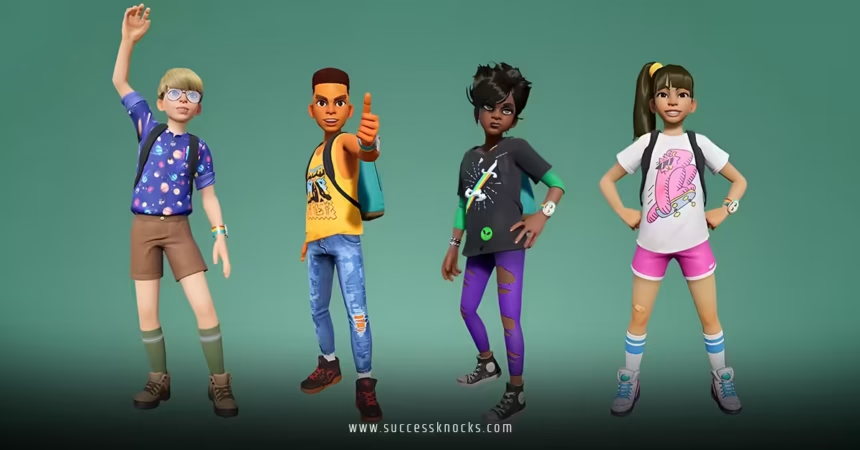
Customizing avatars in popular VR worlds has become the cornerstone of virtual identity, transforming how millions of users express themselves across digital landscapes. Whether you’re stepping into VRChat for the first time or fine-tuning your look in Horizon Worlds, avatar customization directly impacts your social presence, creative expression, and overall VR experience.
Here’s what you need to know upfront:
- Avatar customization ranges from simple sliders to complex 3D modeling workflows
- Popular platforms like VRChat, Horizon Worlds, and Rec Room each offer distinct customization approaches
- Basic customization takes 10-30 minutes, while advanced avatar creation can require several hours
- Free tools exist alongside premium options for every skill level
- Your avatar choice affects social interactions, performance, and platform compatibility
The landscape has evolved dramatically. Gone are the days of basic cartoon characters. Today’s VR worlds support everything from photorealistic human avatars to fantastical creatures that defy physics.
Why Avatar Customization Matters More Than Ever
Your virtual appearance isn’t just cosmetic anymore. It’s your first impression, your creative outlet, and often your primary means of non-verbal communication in VR spaces.
Think about it this way: in the physical world, you choose your clothes, hairstyle, and accessories to communicate something about yourself. In VR worlds, your avatar serves that same function—but with unlimited possibilities.
The Social Psychology Factor
Research from Stanford’s Virtual Human Interaction Lab shows that avatar appearance significantly influences both how others perceive you and how you perceive yourself in virtual environments. Users report feeling more confident with avatars that align with their ideal self-image.
But here’s the kicker—there’s a learning curve. New users often underestimate the time investment needed for advanced customization or overlook platform-specific limitations.
Understanding VR Platform Differences
Not all VR worlds handle avatar customization the same way. Each platform has developed its own ecosystem, tools, and limitations.
| Platform | Customization Depth | Time Investment | Skill Level Required | Cost Range |
|---|---|---|---|---|
| VRChat | Unlimited (custom models) | 30 min – 20+ hours | Beginner to Expert | Free – $100+ |
| Horizon Worlds | Moderate (preset system) | 5-15 minutes | Beginner | Free |
| Rec Room | High (layered customization) | 10-45 minutes | Beginner to Intermediate | Free – $50 |
| AltspaceVR | Moderate (preset + accessories) | 10-30 minutes | Beginner | Free – $30 |
VRChat: The Customization Powerhouse
VRChat stands as the gold standard for avatar freedom. You can import custom 3D models, create unique animations, and even add interactive elements. The platform supports everything from anime-inspired characters to photorealistic humans.
The catch? Advanced customization requires knowledge of Unity 3D, Blender, or similar tools. Many users start with pre-made avatars from the community before diving into creation.
Meta Horizon Worlds: Streamlined Simplicity
Meta’s approach prioritizes accessibility over complexity. Their avatar system uses intelligent sliders and preset combinations that prevent the uncanny valley effect. You won’t achieve the same uniqueness as VRChat, but you’ll have a polished look in minutes.
Rec Room: Creative Middle Ground
Rec Room strikes a balance with its layered customization system. Users can mix and match clothing, accessories, and body modifications while maintaining platform consistency. Their weekly content drops keep customization options fresh.
Step-by-Step Avatar Customization Process
Phase 1: Platform Selection and Basic Setup
- Choose your primary VR platform based on your social goals and technical comfort level
- Download the platform’s official app or access through your VR headset
- Complete the initial account setup and safety tutorials
- Explore the default avatar options to understand the base system
Phase 2: Basic Customization
- Start with body proportions (height, build, basic shape)
- Select facial features that feel authentic to your desired identity
- Choose a hairstyle and color that complements your overall vision
- Pick clothing that matches the social contexts you’ll frequent
- Test your avatar in different lighting conditions within the platform
Phase 3: Advanced Personalization
- Add accessories, jewelry, or unique visual elements
- Experiment with animation overrides or gesture sets (where available)
- Consider creating multiple avatar variations for different activities
- Join community groups focused on avatar creation and sharing
Want to go beyond platform limitations? That’s where external tools come into play.
Essential Tools for Advanced Avatar Creation
The serious avatar creators rely on software outside the VR platforms themselves. Blender, the free 3D modeling suite, has become the go-to choice for custom avatar development, especially for VRChat creators.
Unity 3D serves as the bridge between your 3D model and VR platforms. Most advanced customization workflows involve creating or modifying models in Blender, then preparing them for VR using Unity’s avatar optimization tools.
For those seeking middle-ground solutions, browser-based tools like VRoid Studio offer anime-style character creation without requiring extensive 3D modeling knowledge.
The Texture and Material Game
Here’s where many beginners stumble. Creating believable skin textures, fabric materials, and lighting responses requires understanding PBR (Physically Based Rendering) workflows. Free texture resources from sites like Textures.com can elevate amateur creations to professional quality.
Platform-Specific Advanced Techniques
Customizing Avatars in Popular VR Worlds: VRChat Edition
VRChat’s avatar system supports custom shaders, dynamic bones, and interactive elements. Advanced users create avatars with color-changing abilities, reactive animations, or even mini-games built into their character models.
The platform’s SDK (Software Development Kit) allows for complex avatar behaviors, but it requires Unity knowledge and patience with upload iterations.
Horizon Worlds Professional Polish
While limited in scope, Horizon’s avatar system excels at avoiding common pitfalls like polygon clipping or texture stretching. Their automated systems handle technical optimization, letting users focus purely on aesthetic choices.
Rec Room’s Social Integration
Rec Room avatars integrate with the platform’s social features. Your customization choices affect everything from how clothing items layer to how gestures animate. Understanding these interconnections helps create more engaging social presence.
Common Mistakes and How to Avoid Them
Mistake 1: Ignoring Platform Performance Limits Each platform has polygon count restrictions and texture size limits. Exceeding these causes poor performance or upload failures. Solution: Learn your target platform’s technical specifications before creating content.
Mistake 2: Over-Complicating First Attempts New creators often attempt complex designs without mastering basics. Solution: Start with simple modifications to existing avatars before creating from scratch.
Mistake 3: Neglecting Social Context Your avatar needs to fit the social environments you frequent. A highly stylized anime character might feel out of place in professional VR meetings. Solution: Create multiple avatars for different contexts.
Mistake 4: Forgetting Avatar Etiquette Some avatars are considered disruptive (overly large, bright, or animated). Solution: Research community norms and consider others’ VR experience when designing.
Mistake 5: Skipping Backup and Version Control Avatar files can corrupt or become incompatible with platform updates. Solution: Maintain local backups of all avatar files and source materials.
Advanced Customization Strategies
The Modular Approach
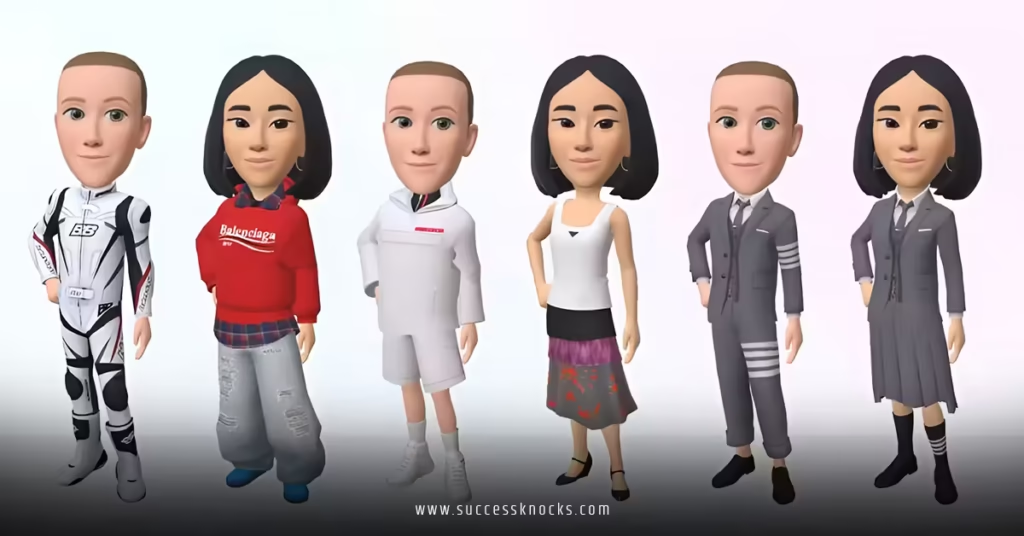
Smart creators build avatar wardrobes rather than single characters. This means creating a base avatar with interchangeable clothing, accessories, and seasonal modifications.
Community Collaboration
The avatar creation community thrives on collaboration. Skilled texture artists partner with 3D modelers, while animators add life to static designs. Engaging with creator communities on Discord or platform-specific forums accelerates your learning curve.
Technical Optimization
Advanced avatar customization involves understanding LOD (Level of Detail) systems, texture atlasing, and shader optimization. These technical aspects ensure your avatar performs well across different VR hardware configurations.
The Economics of Avatar Customization
Free options exist for every platform, but premium assets save time and often provide higher quality results. The avatar marketplace economy has exploded, with creators earning substantial income from selling custom models, textures, and accessories.
Budget considerations:
- Free tier: Platform defaults + community-created assets
- Mid-tier ($20-100): Premium asset purchases + basic software subscriptions
- Professional tier ($100+): Advanced software licenses + commissioned custom work
Future Trends in Avatar Customization
AI-assisted avatar generation is becoming mainstream. Tools like NVIDIA’s Omniverse platform are democratizing high-quality avatar creation through machine learning assistance.
Cross-platform avatar portability remains a holy grail. While technical challenges persist, initiatives like VRM (Virtual Reality Model) format aim to create universal avatar standards.
Biometric integration represents the next frontier. Future systems may automatically adjust avatar expressions based on user emotions detected through VR hardware sensors.
Key Takeaways
- Start with platform-native tools before investing in external software
- Each VR world has distinct customization philosophies and technical limitations
- Community resources and collaboration accelerate learning more than solo efforts
- Technical optimization affects both avatar performance and social acceptance
- Multiple avatar variations serve different social contexts better than one-size-fits-all approaches
- Free tools can produce professional results with sufficient time investment
- Platform etiquette considerations are as important as technical specifications
- Regular backups prevent loss of customization work during platform updates
Your Next Steps
Ready to dive in? Start with your chosen platform’s default customization tools. Spend time in social VR spaces observing what works visually and socially. Join creator communities early—the learning curve becomes manageable with guidance from experienced users.
Remember: your first avatar won’t be your last. The real joy comes from iterative improvement and creative experimentation.
The virtual world is waiting for your unique presence.
Frequently Asked Questions
Q: How long does customizing avatars in popular VR worlds typically take for beginners?
A: Basic customization using platform tools takes 10-30 minutes. Advanced custom avatar creation can require 5-20 hours depending on complexity and your 3D modeling experience.
Q: Can I use the same avatar across different VR platforms?
A: Not directly. Each platform uses different technical specifications and file formats. However, you can recreate similar avatar designs across platforms or use tools like VRM format for limited cross-platform compatibility.
Q: What’s the best free software for creating custom avatars?
A: Blender offers the most comprehensive free 3D modeling capabilities for avatar creation. VRoid Studio provides an easier entry point for anime-style characters, while platform-native tools suffice for basic customization needs.
Q: Are there copyright concerns when customizing avatars in popular VR worlds?
A: Yes. Avoid using copyrighted characters, logos, or assets without permission. Most platforms prohibit intellectual property violations. Original creations and properly licensed assets remain the safest approach.
Q: How do I optimize my custom avatar to avoid performance issues?
A: Follow platform-specific polygon count limits (typically 7,500-32,000 triangles), use texture atlasing to reduce material count, and avoid excessive transparency or complex shaders. Test across different VR hardware configurations.