An email marketing calendar template is the difference between “we should probably send something this week” and “we know exactly what’s going out, why, and when.”
Instead of scrambling for last-minute subject lines, you’ve got a clear roadmap for promos, product drops, seasonal pushes, and evergreen nurture flows. It keeps your team aligned, your campaigns consistent, and your revenue less dependent on random bursts of inspiration.
Let’s walk through how to build an SEO-smart, practical email marketing calendar template you’ll actually use—and how to plug in seasonal campaigns like your back to school email templates for ecommerce prep so they hit right on time.
What is an email marketing calendar template?
An email marketing calendar template is a reusable framework that maps out:
- What you’re sending
- Who you’re sending it to
- When it’s going out
- Why it matters for your business
Instead of reinventing the wheel each month, you use the same structure and simply fill in the blanks with upcoming campaigns, product launches, and key dates.
In my experience, brands that adopt a simple calendar see:
- Fewer missed opportunities (no more forgetting Mother’s Day or key sales moments).
- Less internal chaos (“wait, what’s going out tomorrow?”).
- More strategic campaigns that build on each other instead of isolated, one-off blasts.
Why you need an email marketing calendar template (even if you’re small)
If you’re running a small ecommerce shop or growing brand, it’s tempting to think a formal calendar is “overkill.” It’s not.
Here’s what usually happens without one:
- You remember big dates late (Black Friday, back-to-school, Valentine’s Day).
- You send fewer emails than you should because every send feels like a heavy lift.
- You guess at subject lines and offers instead of learning from previous campaigns.
With a basic email marketing calendar template, you:
- See every key date and campaign at a glance.
- Plan around stock, cash flow, and launches instead of reacting.
- Build repeatable plays—like your annual back to school email templates for ecommerce prep—that improve year after year.
Think of it like a GPS for your email channel. You still drive, but you’re not constantly lost.
Core elements of a high-utility email marketing calendar template
Your template doesn’t need to be fancy. It just needs to be complete and consistent.
At minimum, include:
- Send Date & Time – When the email is scheduled to go out.
- Campaign Name – A clear internal label (e.g., “BTS – Parent Segment – Bundles”).
- Primary Goal – Revenue, list growth, traffic to a specific page, engagement, etc.
- Audience / Segment – Whole list, warm buyers, VIPs, new subscribers, parents, etc.
- Theme / Occasion – Seasonal event, product launch, educational content, etc.
- Key Offer / Angle – Discount, bundle, free shipping, waitlist, or pure content.
- Main CTA – What you want them to actually do.
- Owner – Who’s responsible for copy/design/approval.
- Status – Planned, in progress, scheduled, sent.
- Performance Notes – Open rate, CTR, revenue per send, and quick learnings.
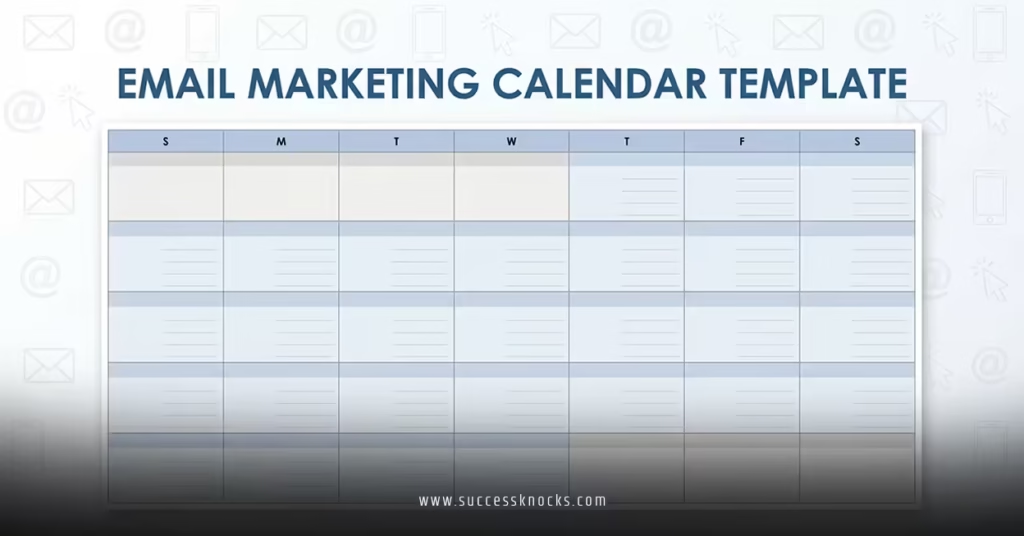
Example email marketing calendar template (monthly view)
Here’s a simple structure you can adapt in a spreadsheet, Notion, Airtable, or your project management tool of choice.
| Date | Campaign Name | Theme / Occasion | Audience | Goal | Key Offer / Angle | Main CTA | Status |
|---|---|---|---|---|---|---|---|
| Aug 1 | BTS – Teaser | Back-to-School Early Access | Entire list (cleaned) | Warm list, build anticipation | Early access to BTS collection | Join early access list | Planned |
| Aug 5 | BTS – Collection Launch | Back-to-School Collection | Parents, students, teachers | Drive collection traffic & sales | Curated BTS collection | Shop the collection | Planned |
| Aug 10 | VIP Only – BTS Bundles | VIP Offer | VIP segment | Increase AOV | Exclusive bundle pricing | Claim VIP bundles | Planned |
| Aug 14 | BTS – Last Chance | Shipping Cutoff Reminder | All non-buyers | Convert procrastinators | Countdown + stock warnings | Shop before cutoff | Planned |
| Aug 22 | Post-BTS – Reset | School-Year Reset | Recent buyers | Drive repeat purchases | Upgrades & refills | Shop refills / upgrades | Planned |
That same structure scales across the whole year—just swap the themes: holiday, new collection, clearance, educational content, and so on.
How to build your email marketing calendar template step by step
No fluff. Here’s the practical workflow.
1. Start with your anchors: seasons, launches, and known dates
Map out the big rocks first:
- Product launches and restocks
- Seasonal events (back-to-school, Black Friday, Cyber Monday, holiday gifting)
- Brand milestones (anniversaries, big collaborations, funding news, store openings)
Then slot your back to school email templates for ecommerce prep into the late-summer window so they don’t collide with other campaigns.
2. Choose your frequency by month
Decide how often you’ll send in a typical month:
- 1–2 emails per week for most ecommerce brands is a healthy baseline.
- Increase cadence slightly around major promo windows (e.g., a short back-to-school push).
The key is consistency. It’s better to send two good emails every week than five erratic ones during sale weeks and nothing in between.
3. Assign a goal to every email
If an email doesn’t have a clear goal, it becomes filler.
Common goals:
- Immediate sales
- Warming up leads before a launch
- Reactivating cold subscribers
- Driving traffic to a new category or content hub
- Educating customers to improve product usage and retention
For example, your early back to school email templates for ecommerce prep might focus on warming up and shaping demand, while later emails push urgency and conversion.
4. Plug in your themes and angles
For each week, pick:
- The primary theme (e.g., “organization hacks,” “summer clearance,” “BTS early access”).
- The angle: Story-led? Offer-led? Educational? Social proof heavy?
This helps your creative team write and design without starting from a blank page.
5. Add segments and personalization
Layer segmentation directly into your calendar:
- Mark emails as “All,” “VIP,” “Repeat buyers,” “New subscribers,” “Parents,” “Students,” etc.
- Note any dynamic content blocks you plan to use (different product grids for different segments).
This keeps your calendar realistic—if something is highly segmented, it might require more build time.
6. Plan once, then refine monthly
Set your quarterly and seasonal structure in advance, then revisit your calendar monthly to:
- Swap underperforming concepts.
- Add new campaigns based on inventory or trends.
- Refine your back-to-school and other seasonal plays using last year’s data.
You’re not trying to predict every subject line a year out. You’re building rails, not a script.
How to integrate back to school email templates for ecommerce prep into your calendar
Back-to-school deserves its own mini-strategy inside your broader email plan.
1. Block off your back-to-school window
Depending on your audience, mark:
- Late July–mid August for K–12 parents and teachers.
- Early–late August for college students and dorm setups.
In that window, cluster:
- Teaser
- Collection launch
- Segmented value emails
- Offer/bundle email
- Last-chance / shipping cutoff
- Post-season reset
Then zoom back out and make sure these don’t conflict with other major promos.
2. Document your BTS “kit” inside the calendar
Create a note or attachment section in your email marketing calendar template:
- Link to your back to school email templates for ecommerce prep doc.
- Add subject line ideas, core offers, and creative assets.
- Include last year’s performance notes so you know what to double down on.
That way, when the season comes around, you’re pulling out a battle-tested playbook instead of winging it.
3. Repeat and optimize annually
After the season:
- Log actual send dates and performance into the calendar.
- Note top-performing emails and underperformers.
- Adjust next year’s calendar based on those insights (e.g., start earlier, lean harder on bundles, emphasize teachers more, etc.).
This is where the real compounding returns show up.
Common mistakes with email marketing calendar templates (and easy fixes)
Let’s call out the usual suspects.
Mistake 1: Overcomplicating the template
If your calendar has 20 columns and 10 color codes, your team will abandon it.
Fix:
Start with the essentials only: date, campaign name, audience, goal, theme, offer, CTA, status. Add more columns only when you genuinely need them.
Mistake 2: Treating the calendar as “set in stone”
A calendar is a plan, not a prison.
Fix:
Review it weekly and monthly. Shift emails if inventory changes, emergencies pop up, or something goes viral and deserves its own campaign.
Mistake 3: Ignoring data when planning future months
If you don’t feed results back into the calendar, you keep making the same mistakes.
Fix:
After key campaigns (like back-to-school or Black Friday), add:
- Best subject lines
- Top segments by revenue
- Winning offers
Use that info when planning next year’s email marketing calendar template.
Mistake 4: No ownership
If “everyone” owns the calendar, no one does.
Fix:
Assign a single owner (or team) responsible for:
- Keeping the calendar updated
- Aligning it with content, paid, and product teams
- Ensuring campaigns get built and scheduled on time
Simple formats you can use for your email marketing calendar template
You don’t need fancy software to start. Use what you already know.
1. Spreadsheet (Google Sheets, Excel)
Pros:
- Easy to start
- Collaborative
- Simple filtering and color coding
Use tabs for months or quarters. One template tab, then duplicate per period.
2. Project management tools (Asana, Trello, ClickUp, Notion)
Pros:
- Attach briefs, assets, and copy directly to each campaign
- Kanban-style “idea → planned → in progress → scheduled → completed” views
Great for teams juggling multiple channels, not just email.
3. ESP-native calendars (Klaviyo, Mailchimp)
Pros:
- Directly linked to campaigns
- Helps avoid overlaps and over-sending
You can still use an external template for higher-level planning, then mirror it inside your ESP.
How to keep your email marketing calendar template aligned with SEO and content
Email doesn’t live in a vacuum. To get more mileage from your work:
- Match email themes to key content assets and SEO priorities (guides, blog posts, product education).
- Use emails to drive traffic to pages you’re trying to rank long-term.
- Cross-promote content clusters—like your back-to-school hub, gifting hub, or new arrivals.
That way, your calendar supports your search strategy, and your search content gives your emails more substance than pure promos.
Key takeaways
- An email marketing calendar template is a reusable framework that shows what you’re sending, to whom, and why—before you’re in scramble mode.
- Keep the structure simple: date, campaign name, audience, goal, theme, offer, CTA, and status are enough to start.
- Use your calendar to anchor big campaigns like back to school email templates for ecommerce prep, product launches, and holiday events so they don’t collide.
- Assign a clear owner and treat the calendar as a living document you update weekly and refine monthly.
- Feed performance data back into the template so each year’s campaigns—especially recurring ones like back-to-school—get sharper.
- Choose a tool you’ll actually use, whether that’s a basic spreadsheet, a project management board, or your ESP’s calendar.
- Align your email calendar with SEO and content priorities to get more traffic and revenue from each send.
FAQs about email marketing calendar templates
1. How far in advance should I plan using an email marketing calendar template?
Planning by quarter is usually the sweet spot: far enough to secure creative, inventory, and offers, but not so far that everything changes. Seasonal anchors like holiday and back to school email templates for ecommerce prep are worth penciling in even earlier so you never miss those windows.
2. What’s the minimum my email marketing calendar template needs to include?
At minimum, track send date, campaign name, audience, primary goal, theme, and main CTA. As you mature, add offer details, owner, status, and performance notes so each send feeds learnings back into future planning.
3. How do I avoid my email marketing calendar template becoming “busywork”?
Keep it lightweight and review it in a quick weekly meeting. If a field isn’t being used for decisions, remove it. The calendar’s job is to make campaigns easier and more effective—if it’s not doing that, simplify until it does.