Renewing a Georgia driver’s license online is the fastest, most convenient way to keep your driving privileges current without visiting a DDS office. Georgia residents with Real ID-compliant licenses can complete the entire renewal process from home in just a few minutes, receiving their new license by mail within 45 days.
Overview Summary
Georgia’s online renewal system allows eligible drivers to renew up to 150 days before expiration with these key benefits:
- $5 discount compared to in-person renewal fees
- No appointment needed – available 24/7
- 45-day processing time with mail delivery
- 8-year validity period for renewed licenses
- Automatic digital license update if you use Georgia’s mobile app
Who Can Renew Online
Eligibility Requirements
You can renew your Georgia driver’s license online if you meet all of these criteria:
- Age: 18-63 years old (64+ requires vision screening)
- Residency: Current Georgia resident
- Citizenship: U.S. citizen (no citizenship changes since last renewal)
- License Type: Standard (non-commercial) driver’s license
- Document Status: Real ID-compliant license with gold or black star
- Account Status: License not suspended, cancelled, or revoked
- Previous Renewal: Not currently processing another transaction
Real ID Compliance Check
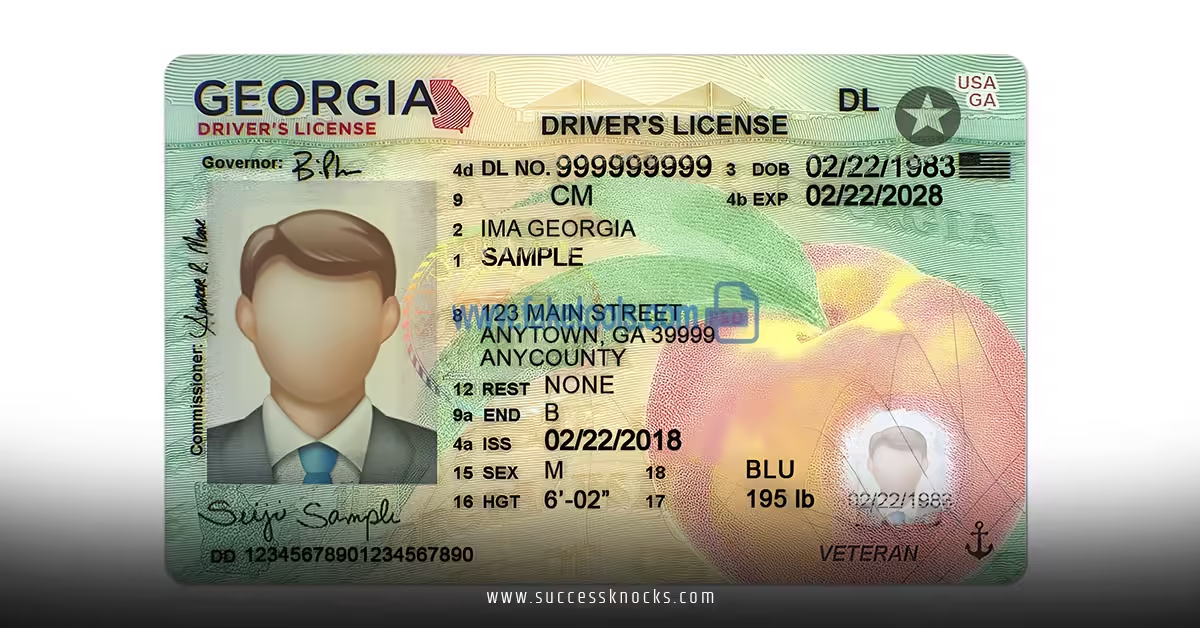
Look for a gold or black star in the upper right corner of your current license. This indicates Real ID compliance, which is mandatory for online renewal. If your license lacks this star, you must renew in person at a DDS Customer Service Center.
Online Renewal Requirements
Essential Information You’ll Need
Before starting your online renewal, gather these details:
- Current Georgia driver’s license (physical card)
- Social Security number
- Current residential address (must match DDS records)
- Payment method (credit/debit card)
- Email address for confirmation
Account Setup Requirements
First-time online users must create a DDS Online Services account, which requires:
- Video verification process OR
- Phone verification through DDS contact center
This one-time setup typically takes 5-10 minutes but provides permanent access to all DDS online services.
Step-by-Step Renewal Process
Phase 1: Account Access
- Visit the official DDS website at dds.georgia.gov
- Click “Online Services” from the main navigation
- Log in to your existing account or create a new one
- Complete verification if this is your first time using online services
Phase 2: License Renewal
- Navigate to “Online Licensing Services”
- Select “Renew or Replace License ID”
- Enter your driver’s license information:
- License number
- Date of birth
- Last four digits of Social Security number
- Review your current information for accuracy
- Update address if needed (may extend processing time)
Phase 3: Payment and Confirmation
- Review renewal fee (includes automatic $5 online discount)
- Enter payment information (Visa, MasterCard, Discover accepted)
- Submit application and save confirmation number
- Download temporary license (valid for 45 days)
Pro Tip: Complete the renewal during business hours (8 AM – 5 PM) for fastest processing if you encounter any issues requiring customer service support.
Costs and Payment Options
Fee Structure Comparison
| Renewal Method | Standard Fee | Online Discount | Total Cost |
|---|---|---|---|
| Online | $32.00 | -$5.00 | $27.00 |
| In-Person | $32.00 | $0.00 | $32.00 |
| Mobile App | $32.00 | -$5.00 | $27.00 |
Accepted Payment Methods
- Credit cards: Visa, MasterCard, Discover
- Debit cards: With Visa/MasterCard logos
- Processing fee: Additional 2.75% convenience fee may apply
Money-Saving Tip: Online renewal offers the best value with the $5 discount, making it 15% cheaper than in-person renewal.
Processing Times and Delivery
Timeline Expectations
- Immediate: Temporary license available for download
- 24-48 hours: Application processing begins
- 30-45 days: New license arrives by mail
- Address changes: Add 14-21 days to processing time
Tracking Your Application
Monitor your renewal status through your DDS Online Services account. You’ll receive email updates at key processing milestones:
- Application received confirmation
- Payment processing complete
- License printed and mailed notification
Important: Your temporary license expires exactly 45 days after renewal submission. If your permanent license hasn’t arrived by day 40, contact DDS customer service.
Special Situations and Restrictions
When Online Renewal Isn’t Available
You cannot renew online if:
- Age 64 or older without approved vision report on file
- Restricted license requiring removal of limitations (corrective lenses, etc.)
- Photo/information changes needed (height, weight, appearance)
- Expired for 2+ years (requires testing)
- Address/name changes not yet updated with DDS
- Commercial Driver’s License (CDL) holder
Age 64+ Vision Requirements
Drivers 64 and older must submit vision documentation before online renewal:
- Upload Vision Report Form (DDS-MR-274) to your online account
- Requirements: Completed by licensed optometrist/ophthalmologist within 2 years
- Approval process: 5-7 business days for review
- Once approved: Complete online renewal as normal

Common Mistakes and Fixes
Mistake #1: Attempting Renewal with Non-Real ID License
Problem: System rejects application due to lack of gold/black star Fix: Visit DDS center in person with Real ID documents to upgrade first
Mistake #2: Using Outdated Address Information
Problem: Application fails due to address mismatch Fix: Update address through DDS Online Services before attempting renewal
Mistake #3: Renewing Too Early or Too Late
Problem: System won’t accept renewal outside the 150-day window Fix: Check your expiration date carefully – renewals accepted 150 days before through 2 years after expiration
Mistake #4: Incomplete Account Verification
Problem: Cannot access renewal services without verified account Fix: Complete video verification or call DDS contact center at (678) 413-8400
Mistake #5: Using Wrong Payment Information
Problem: Transaction fails due to incorrect card details or insufficient funds Fix: Double-check all payment information and ensure sufficient balance plus processing fees
Troubleshooting Guide
Technical Issues
Website Not Loading: Clear browser cache, try different browser, or use mobile app instead
Login Problems: Reset password through “Forgot Password” link or contact customer service
Payment Declined: Verify card details, check with bank for blocks, try different payment method
Application Issues
“Ineligible for Online Renewal” Error: Review eligibility requirements above – you may need in-person renewal
Vision Report Not Accepted: Ensure form is complete, recent (within 2 years), and from licensed eye care professional
Address Verification Failed: Update your address separately before attempting renewal
Getting Help
- DDS Customer Service: (678) 413-8400
- Online Support: Available through your DDS account
- Hours: Monday-Friday, 8:00 AM – 5:00 PM
Alternative Renewal Methods
DDS 2 GO Mobile App
Available for iOS and Android, offering the same features as online renewal:
- Download: App Store or Google Play
- Benefits: Touch ID/Face ID login, offline form completion
- Same fees: $27 with $5 discount
In-Person Renewal
Visit any of Georgia’s 40+ DDS Customer Service Centers:
- Advantages: Same-day license issuance, address all issues at once
- Requirements: Completed online form (DDS-23), current license, $32 fee
- Wait times: Vary by location and time of day
Mail-In Renewal
Limited to specific circumstances:
- Military personnel stationed out-of-state
- Students attending out-of-state schools
- Temporarily working out-of-state
- Physically unable to visit DDS center
Processing: 30 days minimum, recommend submitting 60 days before expiration
Key Takeaways
- Online renewal saves time and money with a $5 discount and no office visit required
- Real ID compliance is mandatory – look for the gold or black star on your current license
- Renew early – you can start the process up to 150 days before expiration
- Age 64+ drivers need vision reports submitted and approved before online renewal
- Keep your temporary license handy – it’s valid for 45 days while your permanent license is processed
- Address changes extend processing time by 2-3 weeks
- Mobile app offers the same convenience as desktop with additional security features
- Customer service is available Monday-Friday for technical support and questions
About the Author
Alex Watson has over 8 years of experience helping Georgia residents navigate DDS services and requirements. As a former DDS customer service representative, Alex specializes in simplifying complex bureaucratic processes and helping drivers understand their options.
Frequently Asked Questions
Q: Can I renew my Georgia driver’s license online if I moved to a different state?
A: No, you must be a current Georgia resident to renew online. If you’ve moved to another state, you need to obtain a license in your new state of residence.
Q: What happens if I try renewing a Georgia driver’s license online but my vision test is expired?
A: If you’re 64 or older, you must submit an approved vision report through your DDS account before online renewal. The system will block renewal attempts without current vision documentation.
Q: How long does renewing a Georgia driver’s license online take from start to finish?
A: The online application takes 10-15 minutes to complete. Your temporary license is available immediately, and your permanent license arrives by mail within 30-45 days.
Q: Can I change my photo when renewing a Georgia driver’s license online?
A: No, online renewal uses your existing photo. If you want a new photo, you must renew in person at a DDS Customer Service Center.
Q: What if my current license doesn’t have the Real ID star – can I still complete renewing a Georgia driver’s license online?
A: No, online renewal requires a Real ID-compliant license (with gold or black star). You must first upgrade to Real ID in person, then future renewals can be completed online.