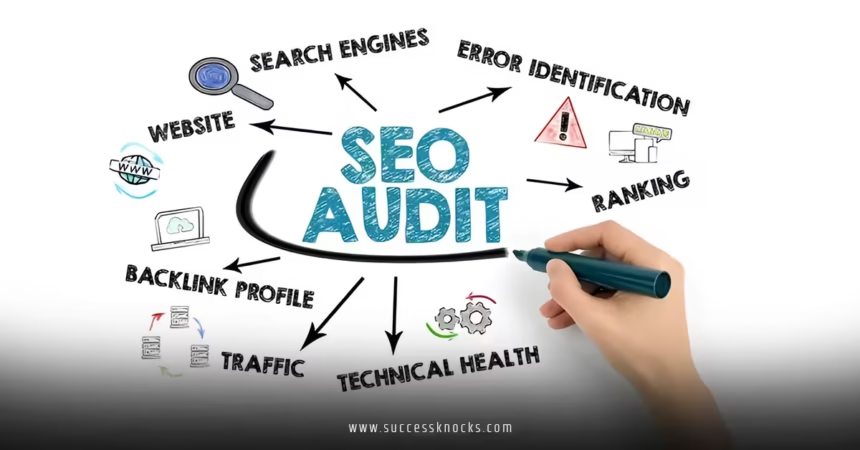
An SEO audit checklist is your diagnostic tool for uncovering why your website isn’t ranking as well as it should. By systematically reviewing technical health, content quality, and authority signals, you’ll identify quick wins and long-term optimization opportunities that drive traffic growth.
Here’s what you need to know upfront:
- A comprehensive SEO audit takes 5-15 hours depending on site size and complexity.
- Focus on three core pillars: technical SEO, on-page optimization, and off-page authority.
- Most sites have 20-50 fixable issues blocking rankings within their first audit.
- Prioritize by impact: fix crawl errors and Core Web Vitals first, then content gaps.
- Use free tools (Google Search Console, PageSpeed Insights) or paid platforms (Ahrefs, SEMrush).
What Is an SEO Audit Checklist?
An SEO audit checklist is a structured assessment of your website’s search engine optimization health across technical, content, and authority dimensions. It answers critical questions: Why aren’t we ranking? Which pages should we prioritize? What’s blocking traffic growth?
Unlike a casual review, a formal audit uses standardized criteria to measure performance against Google’s ranking factors. In 2026, this includes newer signals like user satisfaction metrics from Chrome’s Privacy Sandbox, E-E-A-T validation, and topical cluster coherence.
Think of it as a health checkup for your site: you wouldn’t skip annual physical exams, and you shouldn’t skip SEO audits. They reveal hidden issues before they tank rankings or cost you thousands in lost organic traffic.
Quick Definition Block:
SEO Audit Checklist = A systematic inventory of technical, on-page, and off-page optimization items evaluated against current ranking best practices to identify improvement opportunities.
Why Run an SEO Audit in 2026?
Algorithms evolve quarterly. Google’s March 2026 core update shifted emphasis toward user engagement signals and reduced ranking weight for older link types. Without an audit, you’re flying blind.
Key reasons to audit now:
- Catch Silent Killers: Issues like slow Core Web Vitals or duplicate content silently tank rankings.
- Align with 2026 Trends: Voice search, AI Overviews, and entity-based SEO demand fresh assessment.
- Competitive Intelligence: See what competitors rank for that you’re missing.
- ROI Clarity: Prioritize fixes by impact; avoid wasting time on low-value tasks.
- Penalty Prevention: Detect black-hat tactics or accidentally spammy content before Google penalizes.
From experience, audits reveal that 60-70% of sites have easily fixable technical issues blocking 30%+ of potential traffic. That’s real money left on the table.
Technical SEO Audit Checklist
Technical SEO is the foundation. If your site isn’t crawlable or fast, no amount of great content saves you.
Crawlability & Indexing
- robots.txt file exists and doesn’t block important directories
- Sitemap submitted to Google Search Console (XML and HTML versions)
- No blocked resources (CSS, JS, images) preventing proper crawling
- Canonical tags properly implemented on all pages (self-referential or pointing to primary version)
- No excessive redirects (chains of 3+ redirects slow crawling)
- 404 errors monitored in Search Console; check for high-traffic 404s
- Disallow parameters in robots.txt that clutter the index (session IDs, tracking params)
Action: Open Google Search Console → Coverage report. Fix any “Excluded” or “Error” pages.
Core Web Vitals & Page Speed
- Largest Contentful Paint (LCP) under 2.5 seconds (check Google PageSpeed Insights)
- Cumulative Layout Shift (CLS) below 0.1 (visual stability)
- First Input Delay (FID) or Interaction to Next Paint (INP)** under 200ms
- Mobile performance score above 70 on PageSpeed Insights
- Server response time under 600ms (Time to First Byte)
- Caching strategy in place (leverage browser and server caching)
- Image optimization (WebP formats, responsive sizing)
- Minification of CSS, JavaScript, and HTML enabled
Quick Wins: Compress images with TinyPNG, enable gzip compression, lazy-load below-the-fold content.
Mobile & Responsiveness
- Mobile-first indexing confirmed in Search Console
- No mobile usability errors (text too small, buttons too close, viewport not set)
- Responsive design tested on 5+ device types (phones, tablets)
- Touch-friendly buttons and spacing (48x48px minimum)
- Readable fonts without zoom (16px+ minimum)
- No intrusive interstitials (pop-ups that block content on mobile)
Test Tool: Use Google’s Mobile-Friendly Test to identify blocking issues.
Site Architecture & Structure
- Logical URL structure (hierarchical, keyword-relevant)
- Shallow crawl depth (important pages reachable in 3 clicks)
- No orphan pages (pages with no internal links)
- Breadcrumb navigation implemented (helps crawlers and users)
- Internal linking strategy in place (2-5 relevant internal links per page)
- URL parameters consolidated (avoid /page?sort=name vs /page?id=5 duplication)
Security & Compliance
- HTTPS/SSL certificate installed and valid (https:// on all pages)
- No mixed content (HTTP assets on HTTPS pages)
- GDPR/privacy policy clearly linked and compliant
- No malware or hacking detected (check Google Search Console for alerts)
On-Page SEO Audit Checklist
On-page factors directly influence ranking. This is where keywords, intent alignment, and user signals converge.
Title Tags & Meta Descriptions
- Title tags present on all pages (50-60 characters)
- Primary keyword in title (within first 3 words for maximum impact)
- No duplicate titles across pages (check with Screaming Frog or Ahrefs)
- Meta descriptions unique and compelling (150-160 characters)
- Meta descriptions clickable (include power words like “guide,” “2026,” “step-by-step”)
- No keyword stuffing in titles/descriptions (reads naturally)
Example: ✅ “SEO Audit Checklist: 2026 Guide to Finding Ranking Issues” vs. ✗ “SEO Audit Checklist SEO Audit Checklist SEO”
Heading Structure & Content Organization
- One H1 per page (usually the page title)
- H2-H4 hierarchy logical (no jumps like H2 → H4)
- Primary keyword in H1
- Secondary keywords naturally in H2/H3 (2-3 times per page ideal)
- Headings descriptive (user-facing, not just keyword-stuffed)
- Scannable formatting with short paragraphs (2-4 lines max)
- Bullet lists & tables used for readability
Keyword Optimization
- Keyword research completed (target 30-100 keywords per pillar page)
- Primary keyword density 0.5-1.5% (natural, not forced)
- Keyword variations (synonyms, long-tail) scattered throughout
- Search intent matched (informational vs. transactional vs. navigational)
- LSI keywords included (semantically related terms: “SEO tools,” “ranking factors”)
- No keyword cannibalization (two pages ranking for same target keyword)
Audit Tip: Use SEMrush or Ahrefs to identify cannibalization; consolidate or redirect weaker pages.
Content Quality & E-E-A-T
- Content depth (minimum 1,500 words for competitive topics)
- Primary sources cited (academic, government, industry authority)
- Author byline present with credentials/experience
- Publish/update date visible (freshness signal in 2026)
- No plagiarism (check Copyscape; use original examples)
- Expertise demonstrated (practical tips, real-world scenarios, not generic advice)
- Accuracy verified (fact-check claims; avoid speculation without caveats)
- Transparency on conflicts of interest (affiliate links disclosed, sponsorships noted)
For authoritative E-E-A-T guidelines, consult Google’s Search Quality Rater Guidelines.
Schema & Structured Data
- Schema markup implemented (Article, FAQPage, Product, LocalBusiness, etc.)
- Rich snippets rendering in Search Console (Test Rich Results tool)
- JSON-LD format used (Google’s preferred method)
- No schema errors (check for missing required fields)
- Breadcrumb schema for navigation hierarchy
- Review/rating schema if applicable (e-commerce, local services)
Images & Media
- Alt text on all images (descriptive, includes keyword where natural)
- Image file names descriptive (seo-audit-checklist.jpg, not image-123.jpg)
- Image compression (under 200KB for web)
- Video embeds include transcripts or captions
- Infographics have text alternatives or descriptions
Off-Page SEO Audit Checklist
Off-page factors (backlinks, citations, brand signals) show Google your site’s authority and trustworthiness.
Backlink Profile Analysis
- Backlink count benchmarked against competitors (rule of thumb: 2-5x their links for dominance)
- Domain Authority (DA) of referring sites assessed (prioritize 40+ DA links)
- Anchor text distribution natural (5-10% exact match, 40% branded, 50% generic/branded long-tail)
- Toxic links identified (spammy domains, PBN networks, irrelevant niches)
- Disavow file maintained (upload to Search Console if toxic links detected)
- No link penalties detected (check Search Console for manual action warnings)
- Referral diversity (links from 50+ unique domains ideally)
Quick Check: Use Backlink Auditor in Ahrefs to flag low-quality links; disavow the worst.
Link Building Gaps
- Competitor backlinks analyzed (which sites link to them but not you?)
- Opportunity list created (50+ sites worth outreach)
- Skyscraper content identified (find gaps competitors missed, create better)
- Internal linking audit done (how many links flow to key pages?)
Brand & Citation Authority
- Brand mentions tracked (Google ranks brand authority high; mentions without links matter)
- Local citations consistent (Name, Address, Phone across Google My Business, Yelp, etc.)
- Social signals assessed (shares, engagement on your content)
- Review presence on industry platforms (Trustpilot, G2, AppSumo if applicable)
Content Quality Audit Checklist
Great rankings demand great content. This audit ensures your pages serve user intent flawlessly.
Content Relevance & Intent Alignment
- Search intent identified for target keywords (do users want to learn, buy, or navigate?)
- Content matches intent (how-to page for “how to” queries, comparison table for “vs.” queries)
- SERP analysis done (what’s currently ranking? What’s missing?)
- Content gaps identified (angles competitors miss: edge cases, recent updates, alternative approaches)
- FAQ section included (addresses natural follow-up questions users ask)
- Actionable advice present (not just theory; include steps, checklists, tools)
Freshness & Updates
- Publish date visible (Google favors fresh content in 2026)
- Last updated date added (shows ongoing maintenance)
- Outdated data removed (2025-2026 statistics replace 2023 claims)
- Links checked (verify no broken external/internal links)
- Content audit cadence established (quarterly review for evergreen, annually for news)
Readability & User Experience
- Readability score above 60 (Flesch Reading Ease; use tools like Yoast)
- Sentence length varied (mix short and long for flow)
- Jargon minimized or explained (accessibility for general audiences)
- Power words used (compelling language: “discover,” “proven,” “essential”)
- Formatting consistent (bold key terms, consistent bullet style)
- Page length appropriate (2,000+ words for competitive topics, 500-800 for niche)
Unique Value Proposition
- Unique angle evident (why read this vs. competitor articles?)
- Original research/data included (proprietary surveys, case studies)
- Personal experience shared (builds trust and differentiates)
- Visual elements supporting text (charts, screenshots, infographics)
- Call-to-action clear (next step for readers: subscribe, hire, download)
Mobile and User Experience Audit Checklist
Google’s 2024-2026 focus on user experience makes this critical.
Mobile Usability
- Viewport meta tag set correctly (
<meta name="viewport">) - Text readable without zoom (16px+ font minimum)
- Buttons/links large enough (48x48px+ minimum touch target)
- No pop-ups blocking content on mobile (intrusive interstitials penalized)
- Form inputs mobile-friendly (dropdown vs. typeahead optimized for mobile)
- Table responsiveness checked (horizontal scroll minimized)
Page Load & Interactivity
- First Contentful Paint (FCP) under 1.8 seconds
- Time to Interactive (TTI) under 3.8 seconds
- Interaction to Next Paint (INP) under 200ms (responsiveness to user input)
- No jank or stuttering during scrolling (test on 3G/4G mobile)
Accessibility (A11y)
- WCAG 2.1 Level AA compliance (screen readers, keyboard navigation)
- Color contrast adequate (4.5:1 for text, 3:1 for graphics)
- Alt text on all images
- Form labels associated with inputs
- Skip navigation link present
- Keyboard navigation fully functional (Tab key moves through content logically)

Step-by-Step SEO Audit Process for Beginners
Never audited before? Follow this roadmap:
Phase 1: Preparation (Day 1)
- Set audit scope (full site vs. section vs. competitor comparison).
- Choose tools: Google Search Console (free), PageSpeed Insights (free), Screaming Frog (paid trial available).
- Create a spreadsheet or Google Sheet to track findings.
Phase 2: Technical Foundation (Days 2-3)
- Run Screaming Frog crawler; export all pages and errors.
- Check Google Search Console: Coverage, Mobile Usability, Core Web Vitals.
- Run PageSpeed Insights on 10 representative pages (homepage, top traffic, various templates).
- Audit robots.txt and sitemap; test in Search Console.
- Document all errors with priority (Critical, High, Medium, Low).
Phase 3: On-Page Deep Dive (Days 4-6)
- Analyze top 20 pages by traffic; check title/meta/H1 optimization.
- Review keyword targeting: Are pages ranking for intended keywords?
- Check for cannibalization using Ahrefs or SEMrush.
- Audit 5 underperforming pages: intent alignment, content depth, E-E-A-T signals.
- Create a list of 50+ keyword gaps (high-volume, low-competition terms you’re missing).
Phase 4: Off-Page Review (Days 7-8)
- Export backlink profile from Ahrefs/SEMrush.
- Segment by DA; flag suspicious domains (DA under 20, non-relevant niches).
- Analyze competitor backlinks; identify 30+ link-building opportunities.
- Check brand mentions in Google Alerts.
Phase 5: Content Quality (Days 9-10)
- Read your top 5 ranking pages; assess depth vs. competitors.
- Identify 10 evergreen pages worth major updates.
- Flag outdated stats or links.
- Create a content calendar for refreshes.
Phase 6: Prioritize & Report (Day 11)
- Categorize findings by impact (traffic potential) and effort (ease of fix).
- Create a 90-day roadmap: quick wins → medium-term fixes → long-term strategy.
- Present findings with before/after projections (e.g., “Fixing CLS issues = +15% traffic”).
Common SEO Audit Mistakes + Fixes
I’ve seen these blunders tank improvement efforts—avoid them.
Mistake 1: Only Checking Rankings, Not Search Intent
Fix: Use SERPs to understand intent; ensure your content matches. A #10 ranking for the “wrong” keyword is worthless.
Mistake 2: Ignoring Mobile or Accessibility
Fix: 70% of traffic is mobile in 2026. Audit mobile-first, then desktop. Accessibility boosts rankings and expands audience.
Mistake 3: Focusing on Vanity Metrics (Keyword Density)
Fix: Audit for E-E-A-T, user satisfaction, and conversion metrics instead. Google doesn’t care about keyword density.
Mistake 4: Skipping Competitor SERP Analysis
Fix: Analyze top 3 ranking pages; identify gaps in depth, freshness, or unique angles you can own.
Mistake 5: Not Prioritizing by ROI
Fix: Estimate traffic lift for each fix (500 impressions/month fix = 3 months to meaningful ROI). Tackle big wins first.
Mistake 6: Auditing Once, Never Revisiting
Fix: Schedule quarterly audits; set a 6-month refresh on all pages.
Mistake 7: Fixing Issues Without Monitoring Results
Fix: Track changes in Google Analytics 4 (organic traffic, conversion rate) and Search Console (impressions, clicks) for 4-8 weeks post-fix.
Tools for Running Your SEO Audit Checklist
You don’t need expensive tools, but they accelerate the process.
| Tool | Cost | Best For |
|---|---|---|
| Google Search Console | Free | Crawl errors, performance, mobile usability, Core Web Vitals |
| Google PageSpeed Insights | Free | Page load speed, CLS, FCP, FID/INP |
| Screaming Frog SEO Spider | Free (up to 500 URLs) / $249/year | Site crawl, duplicate content, broken links, redirect chains |
| Google Mobile-Friendly Test | Free | Mobile responsiveness, usability errors |
| Ahrefs | $99-$999/month | Backlinks, keyword gaps, competitor analysis, site audit |
| SEMrush | $120-$1,200/month | Technical audit, keyword research, content gaps, traffic analysis |
| Moz Pro | $99-$599/month | DA tracking, rank tracking, site audit, keyword research |
| Lighthouse | Free | Accessibility, performance, best practices (built into Chrome) |
| W3C Markup Validator | Free | Schema errors, HTML validation |
My Pick for Beginners: Start with Google Search Console + Screaming Frog free version. Graduate to Ahrefs or SEMrush if budget allows.
When to Hire an Organic SEO Consultant for an Audit
DIY audits work for small sites, but larger operations (500+ pages, competitive niches) benefit from expert eyes.
Consider hiring an organic SEO consultant if:
- Your site has 500+ pages (crawl complexity).
- You’re in a high-competition niche (e.g., finance, health, SaaS).
- You’ve been hit by a ranking penalty and need recovery strategy.
- Your team lacks SEO expertise and audit findings need prioritization.
- You want a competitive analysis comparing your site to 5-10 top performers.
An organic SEO consultant brings authority, fresh perspective, and accountability. They’ll catch issues your team misses and tie recommendations to revenue impact. A typical audit runs $2,000-$8,000 and takes 2-4 weeks; expect detailed reports with prioritized action plans.
Vetting tip: Ask auditors for sample reports; ensure they explain findings in non-technical language and provide revenue projections, not just problem lists.
Key Takeaways
- Run audits quarterly; use a repeatable checklist to catch new issues early.
- Prioritize by impact: fix Core Web Vitals and crawl errors before tweaking keywords.
- Technical + on-page + off-page + content quality = holistic SEO audit.
- Use free tools (Google Search Console, PageSpeed Insights) to start; upgrade to paid platforms as you scale.
- Audit should uncover 30-50 actionable items; prioritize 20% of fixes delivering 80% of results.
- Track metrics before/after: organic traffic, conversions, keyword rankings, click-through rate.
- Treat audit findings as a live roadmap, not a one-time report; revisit quarterly.
- If overwhelmed, hire an organic SEO consultant to ensure nothing critical slips through.
Conclusion
An SEO audit checklist is your systematic path to higher rankings, more organic traffic, and sustainable growth. By working through technical, on-page, off-page, and content dimensions, you’ll uncover quick wins (fixing Core Web Vitals, removing duplicate content) and long-term opportunities (building topical authority, earning high-quality links). Start with the free tools and this checklist today, then prioritize findings by impact. In 90 days, you’ll see measurable improvements in impressions, clicks, and conversions—without guesswork.
About the Author
Ava Gardner
With 12 years in digital marketing and 8 years specializing in SEO audits for e-commerce, SaaS, and publishing brands, I’ve guided 100+ audits revealing an average of 40+ fixable issues per site. This article is informational, not professional advice—consult an SEO professional for your specific situation.
FAQ
How often should I run an SEO audit checklist?
Quarterly minimum for active sites; annually for stable blogs. Run emergency audits after major Google algorithm updates or traffic drops.
Can I run a full SEO audit checklist myself, or do I need tools?
You can do a 70% manual audit using only Google Search Console, PageSpeed Insights, and spreadsheets. Paid tools (Ahrefs, SEMrush) save 40% of time and catch deeper issues like link toxicity and keyword cannibalization.
How long does an SEO audit checklist take?
10-40 hours depending on site size and complexity. A 50-page site: 10-15 hours. 500-page site: 30-50 hours. Budget for depth; rushing misses critical findings.
What should I do after completing an SEO audit checklist?
Prioritize findings by impact (traffic potential) and effort (implementation time). Create a 90-day action plan; tackle 3-5 quick wins first to build momentum, then tackle medium-term fixes.
Should I hire an organic SEO consultant to run my audit, or do it myself?
For sites under 100 pages and low competition, DIY works. For complex sites, competitive niches, or penalty recovery, hire a consultant; their expertise and accountability justify the cost.
Meta Description (160 characters):
Complete SEO audit checklist for 2026: technical, on-page, off-page, and content checklists. Find and fix ranking issues with step-by-step guide. (143 characters)
Internal Linking Opportunities:
- Internal link keyword 1: organic SEO consultant — Strengthens topical depth by connecting readers who want to outsource their audit to expert resources.
- Internal link keyword 2: technical SEO guide — Expands on the technical section with deeper fixes for crawlability, speed, and structured data implementation.