Stra theme review 2026 free vs Pro searches spike every year around this time, and for good reason. Anyone building a WordPress site right now hits the same fork in the road: stick with the free version of Astra (often shortened to “Stra” in quick searches) or drop cash on Pro. I’ve built dozens of sites on this theme framework, and the answer isn’t as simple as “just buy Pro.” It depends on what you’re building.
Here’s the fast version before we dig in:
- Astra Free covers blogs, portfolios, and simple business sites without costing a dime.
- Astra Pro unlocks the Header Builder, Footer Builder, and full WooCommerce controls.
- Performance stays strong on both tiers — this theme is genuinely lightweight.
- Pricing starts at $69/year for unlimited sites, or a lifetime option for long-term users.
- The right pick depends on whether you need layout flexibility or just a clean, fast starting point.
What Is the Stra (Astra) Theme, and Why Does the Free vs Pro Debate Matter?
Astra is a multipurpose WordPress theme built for speed and flexibility. It’s one of the most-installed themes in the entire WordPress ecosystem, with millions of active sites running on it today. That scale alone tells you something — it’s not a fad theme that’ll vanish in a year.
The free version lives in the official WordPress.org theme repository, where anyone can download it without an account or trial period. Pro is a separate add-on plugin that layers extra design controls and integrations on top.
Here’s the thing: most beginners don’t actually need Pro on day one. What usually happens is people start free, build their first pages, then hit a wall around week three when they want a sticky header or a custom blog layout. That wall is exactly where this comparison gets useful.
Stra Theme Review 2026: Free vs Pro — The Real Feature Breakdown
Let’s cut through the marketing copy. Below is how the two tiers actually stack up when you’re clicking around the dashboard, not just reading a features page.
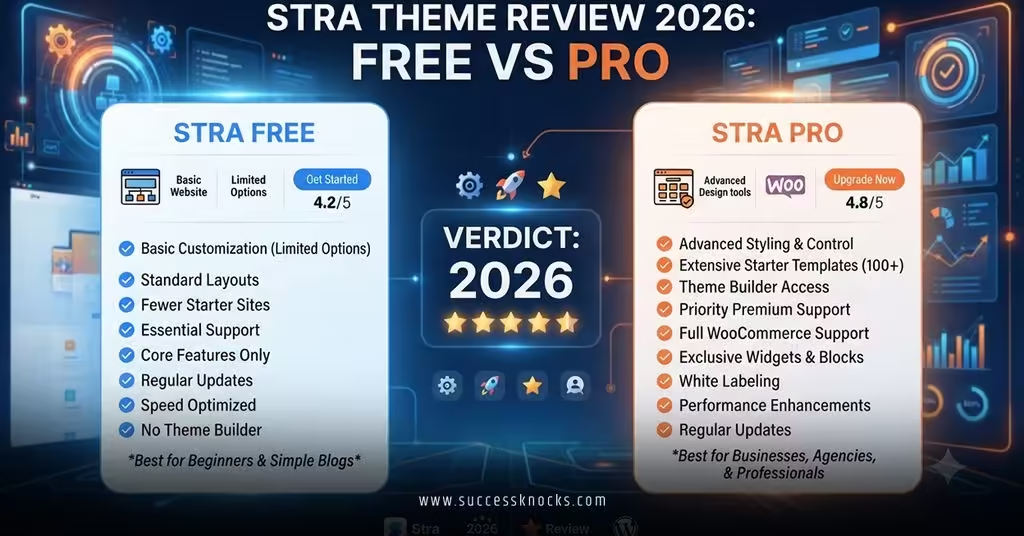
| Feature | Astra Free | Astra Pro | Who Actually Needs It |
|---|---|---|---|
| Core theme + Customizer | ✅ Full access | ✅ Full access | Everyone |
| Starter templates | ~100 free templates | 140+ premium templates | Anyone who wants faster launch |
| Header/Footer Builder | ❌ Basic options only | ✅ Drag-and-drop control | Custom branding, agencies |
| Sticky/transparent header | ❌ | ✅ | Landing pages, SaaS sites |
| Blog archive layouts | ❌ Standard grid only | ✅ Grid, list, masonry | Content sites, bloggers |
| WooCommerce controls | Basic, functional | Quick view, off-canvas cart, checkout design | Anyone selling products |
| White-label branding | ❌ | ✅ | Agencies reselling sites |
| Global color/font palette | Limited | Full site-wide control | Brand-heavy sites |
Notice the pattern? Free handles the content of a site fine. Pro handles the presentation — the polish, the small details that separate “looks fine” from “looks intentional.”
Performance: Does Pro Slow Things Down?
This is where I’ve seen a lot of bad assumptions floating around. People assume adding Pro tanks your load times. It doesn’t — not meaningfully.
Astra Free stays extremely lean because it ships almost nothing extra. Astra Pro adds a modest footprint, but the theme’s core engineering keeps things tight even with the extra modules active. Speed problems on Astra sites almost always trace back to the page builder or bloated plugins stacked on top, not the theme itself.
If speed is your top priority, check your results against Google’s Core Web Vitals benchmarks rather than trusting a theme’s marketing claims. Test your actual build. Numbers on a sales page mean nothing compared to your own PageSpeed report.
Pricing: What You’re Really Paying For
Money talks, so let’s talk money. Astra’s pricing has shifted over the years toward bundled “toolkits” rather than a single Pro tier.
| Plan | Price | Sites Covered | Best For |
|---|---|---|---|
| Astra Free | $0 | Unlimited | First-time builders, simple blogs |
| Astra Pro | ~$69/year | Unlimited | Most site owners needing layout control |
| Essential Toolkit | ~$119/year | Unlimited | Content teams, heavier builder use |
| Business Toolkit | ~$159/year | Unlimited | Agencies, multi-site operators |
| Pro Lifetime | ~$227 one-time | Unlimited | Long-term users done paying yearly |
Unlimited sites at that price is genuinely rare in this market. Once you’ve launched a second or third site, the per-site cost basically evaporates.
Step-by-Step Action Plan: Choosing Between Free and Pro
If you’re staring at this decision right now, here’s exactly how I’d walk through it.
- Install Astra Free first. Always. There’s zero reason to pay before you’ve touched the interface.
- Build a rough draft of your homepage. Use a starter template and see how far the free customizer takes you.
- List what’s missing. Sticky header? Custom footer? Mega menu? Write it down instead of guessing.
- Check if a page builder plugin fills the gap. Sometimes Elementor or the block editor covers what you thought you needed Pro for.
- If WooCommerce is involved, upgrade immediately. Free WooCommerce support is thin — don’t fight it for weeks.
- Buy Pro only when you hit a specific wall, not because a sales page convinced you it’s “essential.”
- Reassess yearly. Requirements change; your plan should too.
Common Mistakes & How to Fix Them
Mistake: Buying Pro before building anything.
Fix: Spend a week on Free first. You’ll know within days whether you’re actually blocked or just anxious about missing out.
Mistake: Blaming the theme for a slow site.
Fix: Audit your plugins and images before pointing fingers at Astra. Heavy sliders and unoptimized media cause far more damage than the theme itself.
Mistake: Ignoring WooCommerce needs until launch week.
Fix: If you’re selling anything, decide on Pro during planning, not two days before your store goes live.
Mistake: Assuming templates equal design skill.
Fix: Templates give you a foundation, not a finished brand. Budget time to adjust colors, fonts, and spacing regardless of tier.
Mistake: Forgetting to check WordPress core plugin compatibility before upgrading.
Fix: Review compatibility notes on the WordPress plugin compatibility documentation before layering builders on top of your theme.
Key Takeaways
- Astra Free genuinely works for blogs, portfolios, and simple business sites — no catch.
- Astra Pro’s real value sits in the Header Builder, Footer Builder, and WooCommerce design controls.
- Speed differences between tiers are minor; plugin bloat causes far more slowdown than Pro itself.
- Pricing runs from free to roughly $69–$227 depending on how long-term and multi-site your plans are.
- Unlimited site licensing makes Pro cheap per-project once you’re past your first build.
- WooCommerce sellers should skip the free tier and go straight to Pro.
- Don’t upgrade based on fear of missing out — upgrade based on a feature you’re actually blocked on.
So where does that leave you? If you’re launching your first WordPress site this month, start free, no exceptions. Think of Astra Free as training wheels that happen to be genuinely well-built — not a stripped-down demo designed to annoy you into buying more. Once your site outgrows the basics, Pro is waiting, and it’s a smooth jump rather than a rebuild. The smartest move isn’t picking a side today — it’s letting your actual site requirements make the decision for you next month.
FAQs
Is the free version of the Stra theme good enough for a small business website in 2026?
Yes, for straightforward sites with a handful of pages and no online store, Astra Free handles the job well. You’ll want Pro once you need custom headers or advanced layout control.
Does upgrading through this Stra theme review 2026 free vs Pro comparison affect site speed?
Not meaningfully. Pro adds a small footprint, but performance issues on Astra sites usually come from page builders and unoptimized images, not the theme tier itself.
Can I switch from Astra Free to Pro later without rebuilding my site?
Yes. Pro installs as an add-on plugin on top of the existing free theme, so your existing pages, content, and settings carry over without a rebuild.