
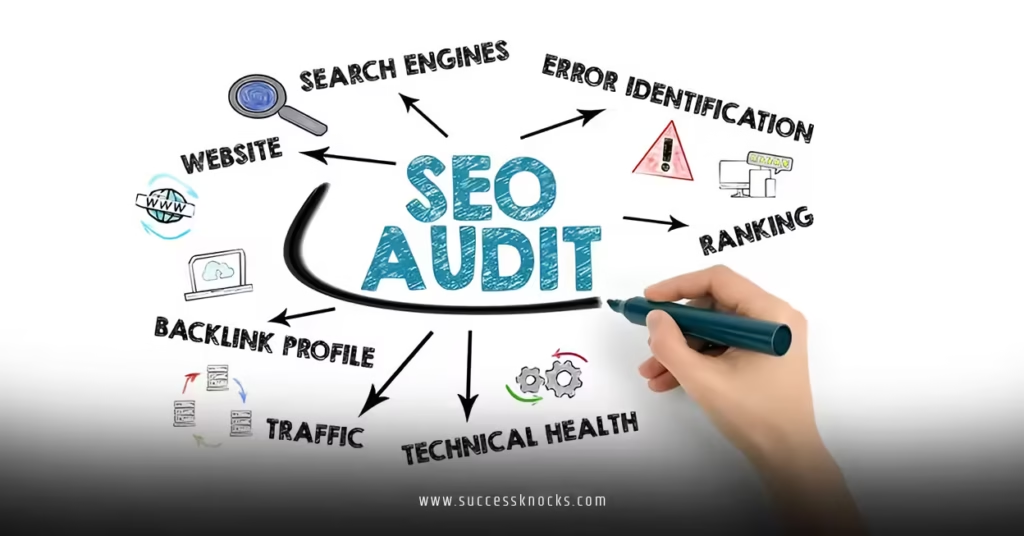
SEO audit tools for small business websites are your no-BS shortcut to spotting hidden problems that kill rankings and traffic. These tools crawl your site like Google does, flag technical glitches, content gaps, speed issues, and more—then hand you a prioritized fix list.
For small businesses in the USA, they level the playing field against bigger competitors without needing a full-time SEO team.
- They uncover crawl errors, broken links, and indexing problems that block visibility.
- They analyze on-page factors, mobile usability, and Core Web Vitals that directly impact rankings.
- They provide actionable insights on keywords, competitors, and backlinks tailored to local or niche searches.
- Regular audits prevent small issues from snowballing into traffic drops.
The kicker? Many solid options start free or cheap, perfect for bootstrapped operations.
Why Small Businesses Need Dedicated SEO Audit Tools in 2026
Small business websites often run on WordPress or basic builders with limited oversight. One outdated plugin or unoptimized image later, and you’re bleeding rankings.
SEO audit tools for small business websites catch these fast. They simulate search engine crawls, check against current Google signals like AI Overviews readiness and page experience, and deliver reports non-techies can actually use.
What usually happens is owners chase shiny content or ads while technical debt quietly tanks organic traffic. A quick audit flips that script. In my experience, fixing the top 10 issues from a solid crawl often delivers the fastest wins.
Google Search Console remains non-negotiable—it’s how Google literally sees your site.
Top SEO Audit Tools for Small Business Websites
Here’s a practical breakdown of tools that deliver real value without enterprise pricing.
Free or Low-Cost Heroes:
- Google Search Console (GSC): Indexing status, performance data, Core Web Vitals, manual actions. Start here always.
- Screaming Frog SEO Spider: Desktop crawler. Free up to 500 URLs—ideal for most small sites. Spots broken links, duplicate titles, missing metas, and site architecture issues.
- Ahrefs Webmaster Tools: Free site audit and backlink data for verified properties.
- Google PageSpeed Insights / GTmetrix: Speed and user experience audits.
Paid Powerhouses (with trials or affordable tiers):
- Semrush Site Audit: Comprehensive crawls with 140+ checks, ongoing monitoring, and integration with keyword and competitor data.
- SE Ranking: Strong value with full audits, rank tracking, and white-label options.
- Ahrefs Site Audit: Excellent for backlink-focused sites and technical depth.
Comparison Table: SEO Audit Tools for Small Businesses
| Tool | Best For | Free Tier Limits | Starting Paid Price | Key Strengths | Drawbacks |
|---|---|---|---|---|---|
| Google Search Console | Baseline health | Unlimited | Free | Direct Google data, indexing | Less technical crawl depth |
| Screaming Frog | Technical deep dive | 500 URLs | ~$330/year | Customizable, exportable reports | Desktop-only, manual runs |
| Semrush Site Audit | All-in-one monitoring | Limited pages/month | ~$140/month | 140+ checks, AI signals | Can feel overwhelming |
| SE Ranking | Budget all-rounder | Trial | ~$55/month | Affordable, client-friendly | Smaller index than giants |
| Ahrefs Webmaster | Backlinks + audit | Limited for owners | Paid plans $129+ | Link insights | Full features behind paywall |
Pick based on site size and your bandwidth. Under 500 pages? Free tools plus Screaming Frog often suffice. Growing fast? Add Semrush or SE Ranking.
Step-by-Step Action Plan for Beginners
Roll up your sleeves. Here’s exactly what I’d do if auditing a small business site today.
- Claim and verify in Google Search Console. Submit sitemap, check indexing coverage and mobile usability.
- Run a free Screaming Frog crawl. Export issues: broken links, thin pages, redirect chains.
- Test speed with PageSpeed Insights. Focus on Largest Contentful Paint and Interaction to Next Paint.
- Plug into Semrush or SE Ranking for a broader audit if budget allows—compare against competitors.
- Prioritize fixes: Technical errors first (crawlability, HTTPS), then on-page, then content gaps.
- Monitor weekly and re-audit monthly. Set alerts where possible.
This sequence typically surfaces 80% of the leverage points quickly.
Pro tip: Document everything in a simple spreadsheet. Track issue, priority, owner, and status. Turns one-off audits into a system.
Common Mistakes & How to Fix Them
Small teams trip over the same wires repeatedly.
- Ignoring mobile-first indexing. Fix: Use GSC’s Mobile Usability report and test on real devices.
- Slow page speeds. One extra second kills conversions. Compress images, enable caching, cut unnecessary scripts. Aim for under 2-3 seconds load time.
- Duplicate or thin content. Google hates it in 2026. Merge pages, expand weak ones with real value.
- No internal linking strategy. Orphans pages that never get crawled. Use audit tools to map and fix.
- Set-it-and-forget-it mentality. SEO isn’t fire-and-forget. Regular audits catch plugin conflicts or core updates impacts.
The real trap? Analysis paralysis. Pick one tool, fix the top five issues, measure results, repeat. Momentum beats perfection.
Think of your website like an old truck. It runs fine until one day it doesn’t. Regular tune-ups (audits) keep it hauling customers reliably instead of breaking down on the highway.
Advanced Tips for Intermediate Users
Once basics are solid, layer these:
Dive into log file analysis with Screaming Frog for how bots actually behave. Cross-reference GSC performance data with keyword gaps from Semrush. Track how your site performs in AI-powered search summaries—emerging but increasingly relevant.
For local businesses, layer in Google Business Profile audits. Combine with schema markup validation.
Key Takeaways
- SEO audit tools for small business websites deliver fast, prioritized insights without a big team.
- Start free with GSC + Screaming Frog before scaling to paid platforms.
- Focus on technical health, speed, and content quality first.
- Consistency beats one big audit—make it a monthly habit.
- Fix high-impact issues: indexing, speed, broken elements, mobile experience.
- Use data from multiple tools for a complete picture.
- Track improvements in traffic and conversions to prove ROI.
- Avoid common pitfalls by acting on reports instead of just reading them.
Nail your site health and organic growth becomes predictable instead of a gamble.
Your next step? Open Google Search Console right now and run your first crawl. The data is waiting—use it.
FAQs
What are the best free SEO audit tools for small business websites?
Google Search Console, Screaming Frog (up to 500 URLs), and Ahrefs Webmaster Tools cover most needs for smaller sites. They handle indexing, technical issues, and basic backlinks effectively.
How often should I run SEO audits for my small business website?
Monthly for active sites, quarterly if traffic is stable. Re-audit after major updates, redesigns, or Google core updates to catch new issues fast.
Can SEO audit tools for small business websites replace hiring an expert?
They handle diagnostics brilliantly but implementation still benefits from experience. Use tools to identify problems and guide decisions—bring in help for complex fixes or strategy.