


How to use generative AI to repurpose webinar content starts with one truth: that hour-long recording sitting in your drive holds gold. Turn it into blogs, clips, emails, podcasts, and more—without burning weeks of effort. In 2026, this isn’t optional. It’s how smart teams stretch one event into months of traffic, leads, and authority.
- Extract the core: AI transcribes accurately and pulls key moments, quotes, and insights fast.
- Multiply formats: Generate blog posts, social snippets, video clips, email sequences, and FAQs from a single source.
- Boost reach and ROI: Repurposed content drives higher engagement across channels while cutting creation time dramatically.
- Fuel search visibility: Structured outputs help rank in Google and get cited in AI overviews like ChatGPT or Gemini.
- Scale without extra webinars: One solid session becomes evergreen assets that keep working.
The kicker? Beginners can start today with free tools. Intermediates refine with prompts and workflows for polished results.
Why Generative AI Changes the Game for Webinar Repurposing
Webinars deliver deep expertise. Yet most sit underused. Generative AI flips that. Tools analyze transcripts, spot engagement peaks, and spin variations tailored to platforms.
Think of your webinar like a raw ore. AI acts as the smelter—refining it into multiple finished products. No more manual clipping or rewriting from scratch. You guide the process, add human polish, and ship faster.
In my experience, teams that repurpose see content live longer and perform better. One webinar can fuel an entire content calendar quarter.
Quick Comparison Table: Manual vs. AI-Powered Repurposing
| Aspect | Manual Approach | AI-Powered Approach | Time Savings |
|---|---|---|---|
| Transcription | Hours of listening/typing | Minutes with accurate output | 90%+ |
| Clip Creation | Manual editing, 5-10 clips/day | Auto-detects highlights, dozens ready | 80% |
| Blog Drafting | Rewrite full transcript | Structured first draft in seconds | 70-85% |
| Multi-Format Output | One format at a time | Blogs, clips, posts, emails simultaneously | Massive |
| Cost per Asset | High (time/labor) | Lower after initial setup | Significant |
Data-inspired estimates from industry workflows in 2026. Actual results vary by tool and review time.
Step-by-Step: How to Use Generative AI to Repurpose Webinar Content (Beginner Action Plan)
Start simple. Grab your webinar recording and follow this.
Step 1: Get a Clean Transcript
Upload the video to tools like Descript, Otter.ai, or Happy Scribe. AI handles speaker identification and timestamps. Fix any glitches manually—accuracy matters for downstream outputs.
Step 2: Feed It to Generative AI
Copy the transcript into Claude, ChatGPT, or Gemini. Use targeted prompts. Example:
“Act as an expert marketer. Turn this webinar transcript into a 1500-word SEO-optimized blog post. Include H2s, bullet takeaways, and calls to action. Focus on [main topic].”
Step 3: Generate Specific Assets
- Short clips: Use Opus Clip or similar AI video tools to auto-create 30-60 second highlights with captions.
- Social posts: Prompt for LinkedIn carousels, Twitter threads, or Instagram captions.
- Email sequence: Ask for a 3-5 part nurture series based on key sections.
- FAQ page: Extract Q&A and format as structured questions.
Step 4: Human Review and Polish
AI drafts excel at structure but miss nuance. Add your voice, fresh examples, and brand specifics. Check facts. Optimize for SEO with primary keyword “how to use generative AI to repurpose webinar content” and LSI terms like AI transcription, content repurposing, video clipping.
Step 5: Distribute and Track
Embed videos, publish blogs, schedule posts. Use UTM tags. Monitor what resonates and iterate.
What I’d do if starting fresh: Pick one webinar, process it fully this week, and measure results before scaling. You’ll spot patterns fast.
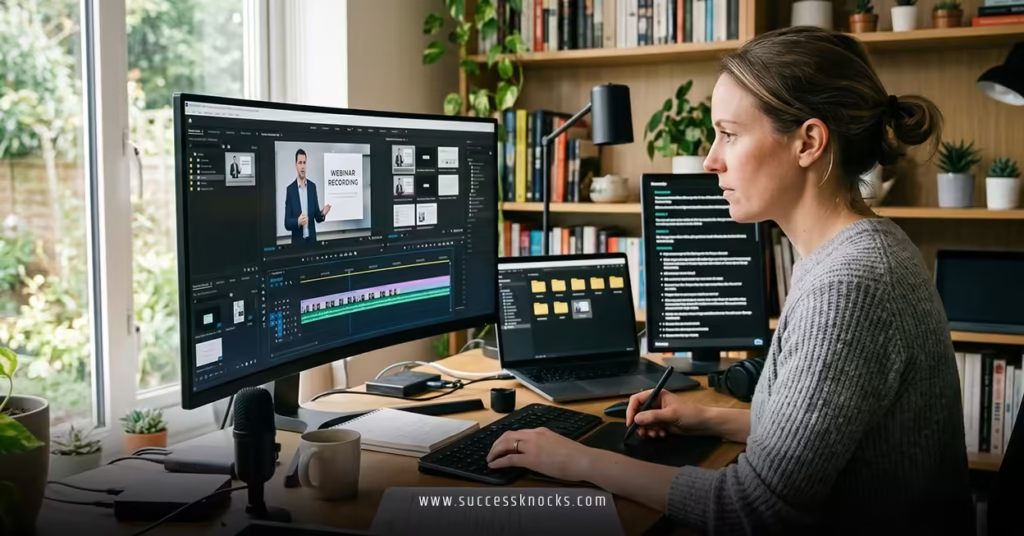
Advanced Tactics: Level Up Your Repurposing Workflow
Intermediates, layer in these. Combine tools—transcript out of Descript into Claude for text, then into a video editor for finals.
Create custom prompts for consistency. Save them. Test variations: one for punchy social, another for in-depth guides.
How to Use Generative AI to Repurpose Webinar Content for YouTube and Podcasts
Extract audio, generate show notes and chapters. Upload longer segments with keyword-rich titles. AI suggests thumbnails or episode descriptions that perform.
For visuals, prompt image generators for custom graphics from key stats.
Common Mistakes & How to Fix Them
- Over-relying on raw AI output: Sounds generic. Fix: Always edit with specific brand guidelines and personal anecdotes.
- Ignoring platform differences: A blog post doesn’t translate directly to TikTok. Fix: Tailor prompts for format—short, hook-first for social.
- Skipping SEO: Buried gems. Fix: Include target keywords naturally and structure with headings.
- No promotion loop: Assets die in drafts. Fix: Build a distribution checklist tied to each repurposed piece.
- Poor quality transcripts: Garbage in, garbage out. Fix: Use top-tier AI transcription and review speaker labels.
The fix is usually simple review cycles. Treat AI as a sharp junior—capable but needing direction.
Key Takeaways
- How to use generative AI to repurpose webinar content turns one recording into a full content ecosystem efficiently.
- Start with transcription, then prompt strategically for multiple formats.
- Human oversight keeps authenticity and impact high.
- Repurposing multiplies ROI—content marketing often delivers strong returns when done systematically.
- Focus on high-engagement moments for clips and snippets.
- Optimize every piece for search and AI visibility with structure and schema.
- Test, measure, refine—your next webinar will be even easier.
- Build reusable prompt libraries for speed.
- Distribute across channels to meet audiences where they consume.
Repurposing isn’t just efficient. It’s smart leverage. That single webinar you hosted last month? It’s still working for you—if you let AI help unlock it.
Next step: Grab your latest recording, run it through a transcription tool, and generate your first blog draft today. Watch the momentum build.
FAQs
How long does it take to use generative AI to repurpose webinar content?
Beginners can produce a solid blog post and several clips in a few hours. With practice and saved prompts, it drops to under an hour for core assets. Review time adds value but stays minimal compared to starting from zero.
What are the best free or low-cost tools for beginners learning how to use generative AI to repurpose webinar content?
ChatGPT or Claude for text, YouTube’s built-in features or CapCut for basic clips, and free tiers of Otter or Descript for transcripts. Combine them before upgrading to specialized platforms like Opus Clip.
Can generative AI fully automate how to use generative AI to repurpose webinar content, or is human input still needed?
AI handles heavy lifting on drafts and extraction, but human input ensures brand voice, accuracy, and creativity. The best results come from collaboration—AI for speed, you for strategy and polish.


