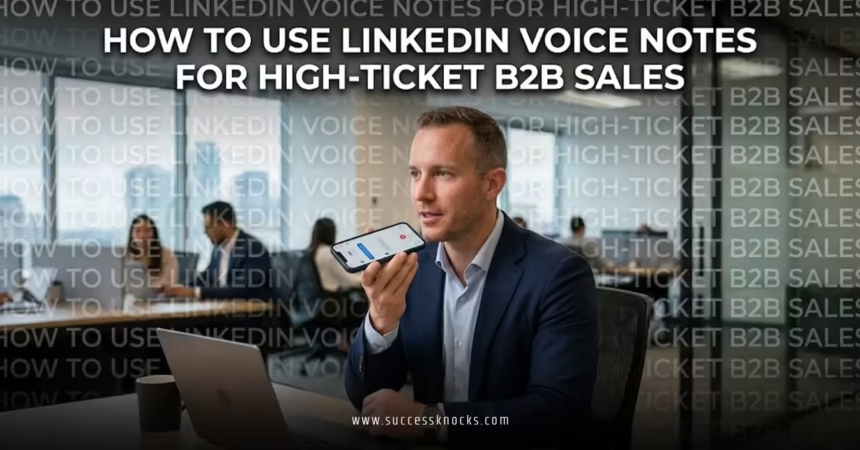
How to use LinkedIn voice notes for high ticket B2B sales comes down to one truth: text gets skimmed. Voice cuts through. In a sea of templated messages and AI slop, a 30-second human note makes prospects pause, listen, and actually reply. It builds instant rapport that typed words rarely match, especially when you’re selling six- and seven-figure solutions where trust closes deals.
- What it is: Short audio messages (up to 60 seconds) sent via the LinkedIn mobile app to first-degree connections.
- Why it works for high-ticket: Voice conveys tone, confidence, and authenticity that text can’t fake. Reply rates often jump when done right.
- Who it’s for: Sales pros chasing enterprise deals, consultants, agency owners, and solution sellers who need to stand out.
- The payoff: Faster conversations, warmer pipelines, and fewer “let’s hop on a call” battles.
Here’s the thing. Most reps blow it by sounding salesy or rambling. Nail the basics and you’ll turn voice notes into a repeatable edge.
Why Voice Notes Crush It for High-Ticket Deals
High-ticket B2B sales live on relationships. Decision-makers at this level don’t respond to generic pitches. They respond to people who feel real.
Voice notes humanize you immediately. Prospects hear your energy, your expertise, your smile. It’s like leaving a voicemail but in the platform where they already live.
The kicker? You can’t easily automate genuine ones at scale yet. That limitation becomes your advantage.
In my experience, after a strong connection request, the right voice note can double response rates compared to text-only follow-ups. It shifts the dynamic from “another seller” to “someone worth hearing out.”
How to Record and Send LinkedIn Voice Notes (Step-by-Step)
You need the LinkedIn mobile app. Desktop won’t cut it.
- Open a conversation with a first-degree connection.
- Tap the microphone icon in the message field.
- Hold the big microphone button to record (up to 60 seconds).
- Release to send. You can preview and re-record if needed.
Keep it natural. Smile while recording — it comes through. Test your audio in a quiet spot. Background noise kills credibility fast.
Step-by-Step Action Plan for Beginners
Start simple. Don’t overthink your first dozen.
Week 1 Focus: Warm follow-ups only.
- Connect with 20-30 targeted prospects per day using personalized notes referencing their recent post or company news.
- Wait 24-48 hours after acceptance.
- Send your voice note as the second touch.
Structure that works:
- First 5-10 seconds: Hook with their name and a specific trigger.
- Next 15-25 seconds: One relevant insight or mini-value bomb tied to their world.
- Last 5-10 seconds: Clear, low-friction CTA like “Thoughts on this?” or “Worth a quick chat next week?”
Record 5-10 at a time in batches. Listen back critically. Delete anything that drags.
Pro move: Pair it with a simple image or screenshot of something relevant. Visual + voice creates a combo most ignore.
Crafting Voice Notes That Book High-Ticket Meetings
Forget scripts that sound robotic. Speak like you’re grabbing coffee with a peer.
Reference something real. “Hey Sarah, saw your team just expanded into the EU — congrats. What usually happens is…”
Then bridge to your solution without hard selling. Share one insight they can use immediately. This positions you as helpful, not hungry.
End with a question that invites response. Questions pull replies better than statements.
Example flow:
“Hey Mike, it’s [Your Name]. Noticed your recent post about scaling ops without blowing the budget. We’ve helped similar manufacturing leaders cut coordination headaches by 40% using [specific approach]. Curious — what’s your biggest friction point right now?”
Keep it under 45 seconds for best results. Anything longer risks losing them.
Pros and Cons Comparison
| Aspect | Voice Notes | Traditional Text Messages |
|---|---|---|
| Personal Connection | High — tone and personality shine | Low — easy to skim or ignore |
| Response Rate | Often 30-47% when personalized | Lower, especially cold |
| Time to Create | 1-2 minutes per strong note | Faster but less impactful |
| Scalability | Limited (manual) | Easy to template |
| Best For | Building trust in complex sales | Quick updates, confirmations |
| Risk | Sounding unprepared or salesy | Coming across generic |
Use this as your decision guide. Voice wins when relationships matter most.
Common Mistakes & How to Fix Them
Mistake 1: Leading with voice on cold outreach.
Fix: Always start with text connection request. Voice after acceptance.
Mistake 2: Rambling or going over 45 seconds.
Fix: Time yourself. Cut fluff. One idea per note.
Mistake 3: Sounding scripted or overly polished.
Fix: Talk like a human. Slight imperfections make it authentic.
Mistake 4: No clear next step.
Fix: Always end with a specific, easy ask.
Mistake 5: Sending to the wrong people.
Fix: Tight ICP targeting first. Research before recording.
What usually happens is reps quit after a few weak attempts. Stick with it for two weeks and the pattern becomes obvious — the personalized ones get replies.
Advanced Tactics for Closing Bigger Deals
Once comfortable, layer these:
- Reference a mutual connection or shared group.
- Follow up a voice note with a short text recap: “Quick recap from my voice note…”
- Use for objection handling: Record thoughtful responses to common pushback.
- Test different times — mid-morning or early afternoon often works best for busy execs.
For high-ticket, combine with LinkedIn Sales Navigator for better targeting.
Key Takeaways
- Voice notes humanize high-ticket outreach in a text-heavy world.
- Always personalize with specific triggers from their profile or activity.
- Keep messages 30-45 seconds with a clear hook, value, and CTA.
- Send only to warm connections for best results.
- Record in batches but review every single one.
- Pair voice with visuals for stronger impact.
- Track replies religiously — double down on what lands.
- Consistency beats perfection. Send 10 great ones weekly.
Master this and your pipeline warms up faster than most competitors can type their next template.
Ready to try it? Open the app, pick three warm connections, and record your first notes today. The difference shows up in replies within days.
FAQs
How long should a LinkedIn voice note be for high ticket B2B sales?
Aim for 30-45 seconds maximum. Shorter holds attention better while still delivering enough value to spark a conversation.
Can you send LinkedIn voice notes to non-connections?
No. They’re limited to first-degree connections only. Focus on quality connections first, then use voice as a follow-up tool.
How to use LinkedIn voice notes for high ticket B2B sales without sounding salesy?
Lead with their world, not yours. Share one useful insight tied to their challenge, then ask a genuine question. Authenticity over pitch.